# How to Add Virtual Try-On to Your Shopify Store Without Editing Liquid (2026)
Add virtual try-on to a Shopify fashion store without Liquid: App Store install, product enablement, theme-editor placement, mobile QA, and plans as of 7 October 2026.
**Install a Shopify App Store try-on app, enable a few products, then place the control on the product template in the theme editor. You do not edit Liquid on a standard Online Store 2.0 theme. Antla is Built for Shopify photo try-on: shoppers upload one photo in the browser. Start on hero SKUs, test a phone, then expand.**
See a clothing try-on on your own catalog at [Antla.io/demo](https://antla.io/demo).
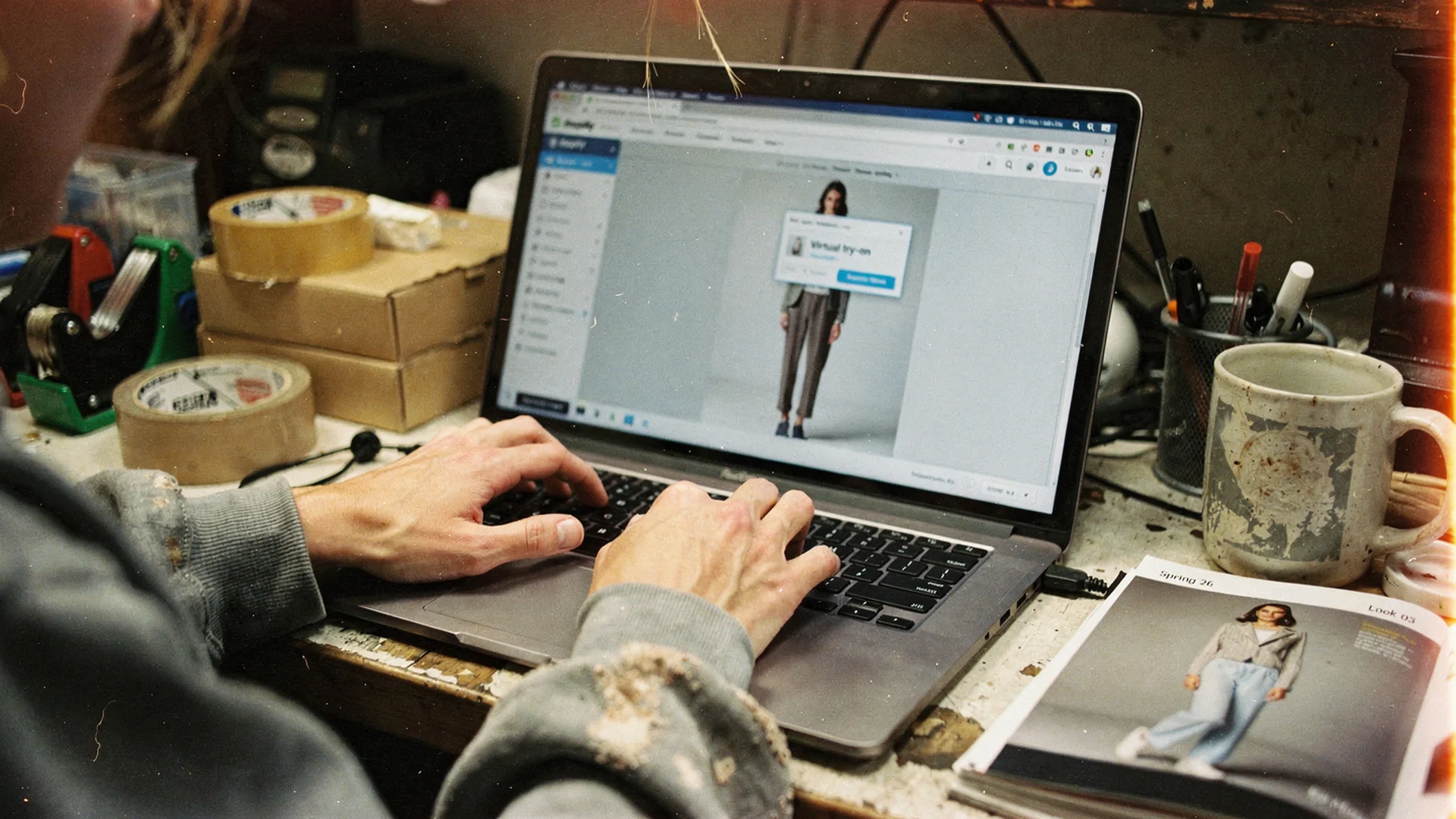
*The install is the short part. Placement, the garment photo, and a phone check decide whether shoppers use it.*
## Adding try-on is a product-page job, not a replatform
Fashion stores stall here because they treat virtual try-on like a new storefront. It is not. On Shopify it is a product-page control: an app, a set of SKUs, and a block on the product template.
[Shopify's 2026 virtual fitting-room guide](https://www.shopify.com/enterprise/blog/virtual-fitting-rooms) puts try-on in the same bucket as other catalog infrastructure. The commercial job is reducing uncertainty about style and appearance before checkout, not adding a novelty overlay. That guide also cites NRF's estimate of **over 19%** of online purchases returned in 2025. Apparel sits in the painful part of that file because a studio photo does not answer "on me."
[Shopify's conversion-rate benchmarks](https://www.shopify.com/blog/ecommerce-conversion-rate) (updated 22 August 2026) put fashion, accessories, and apparel at **2.77%** in the June industry table, and cite Contentsquare for **69.9%** of website visits on mobile in 2026 (retail converting at 2% on mobile versus 3.7% on desktop). That 2.77% is a category average, not a promise that a widget will move your store to that number. Conversion is orders divided by sessions. A try-on block only matters if shoppers can find it, finish a preview, and still add to cart.
I would not pitch this to finance as a six-month IT project. I would pitch it as a two-week PDP change with a holdout on ten SKUs.
## Pick SKUs from "looked different" comments, not the whole catalog
The fastest way to make try-on look broken is to turn it on for every product on day one. You will not know which template fights the button, which photo the model generates from, or which category shoppers actually use.
Export 60 to 90 days of return reasons and support tickets. Keep the SKUs whose comments sound like a picture problem:
- Looked different on me
- Too long / too short / too revealing
- Color was off
- Did not suit my frame
Leave the SKUs whose comments are too-small, too-big, or between sizes for the size tool. Visual try-on does not pick a label. Antla has no size chart or size recommendation of its own. It sits beside any Shopify size app. The split is in [virtual try-on vs size recommendation](https://antla.io/blog/ai-size-recommendation-vs-virtual-try-on).
Start with five to ten hero products in one family: midi dresses, a denim block, a blazer. One template. One merchant owner. If you cannot name the hypothesis ("coverage returns on this swim SKU"), you are not ready to enable the catalog.
## Install from the App Store, then enable a single product
The install path is the boring part, which is why teams skip it and jump to theme edits they do not need.
1. Open the [Antla listing](https://apps.shopify.com/antla) and click **Add app**.
2. Approve the OAuth scopes Shopify shows. The listing is **Built for Shopify** as of 7 October 2026.
3. Finish in-app onboarding. Billing starts after the 7-day trial if you keep a plan.
4. Enable try-on on **one** product in a low-traffic collection, not your bestseller.
5. Confirm that product still adds to cart with try-on closed. Then open try-on.
You do not need a developer for this path on a standard Online Store 2.0 theme. Shopify's own [theme help](https://help.shopify.com/en/manual/online-store/themes) is the place to learn how the editor works. [Shopify's app-block docs](https://shopify.dev/docs/storefronts/themes/architecture/blocks/app-blocks) describe how merchants add app content to a JSON product template without touching theme code. That is the mechanism. The merchant job is choosing where the block sits.
Vintage (pre-2.0) themes and heavily forked Liquid PDPs are the exception. Those need a developer or a theme upgrade, not a hope that an embed script will land in the right spot.
## Drop the control on the template shoppers already use
If the shopper has to hunt, you installed software and shipped a hidden feature.
On a fashion PDP the useful homes are the image gallery and the purchase area next to size and add to cart. Footer links, "experience" tabs, and a button that only appears after three scrolls are how try-on start rates stay near zero. The placement argument, including gallery versus buy-box tradeoffs, is in [try-on button placement on Shopify PDPs](https://antla.io/blog/virtual-try-on-button-placement-shopify-pdp).
In the theme editor:
1. Open the **product** template that those hero SKUs actually use, not a leftover alternate.
2. Add the Antla app block (or the app embed, depending on how the app surfaces in that theme).
3. Put it next to the gallery or next to the size selector. Not both on day one.
4. Save, then preview as a customer on a phone viewport.
Sticky add-to-cart, quick-add, and quick-view are the usual fights. If the button sits under a payment-icons row on mobile, move it. Theme-specific notes live in [Shopify theme compatibility for virtual try-on](https://antla.io/blog/shopify-theme-virtual-try-on-compatibility). Lean teams that will never open Liquid can cross-read [no-code virtual try-on on Shopify](https://antla.io/blog/no-code-virtual-try-on-shopify). That URL stays live. This page does not 301 it.
Shoppers do not download an app. They upload a photo in the browser on the product page. If your copy says "download to try on," rewrite the copy.
## Choose a front-facing still, not whatever is images[0]
Try-on generates from a product photo. If that photo is a back view, a cropped texture, or a video poster, the preview will look like a back view, a crop, or a muddy still. That is a merchandising error, not a model failure.
For each enabled SKU:
- Use a **front-facing** garment still: packshot front or on-model facing the camera.
- Chest logos, zippers, collars, and front construction have to be visible.
- Skip the first gallery file when it is a video, a detail crop, or a back shot.
[Image selection](https://antla.io/image-selection) documents how to point generation at a later image when the first file is the wrong one. Do that before you blame the widget.
Try-on shows how a garment may look on the uploaded photo. It does not prove physical fit. Keep garment measurements and the size tool next to the selector. [Baymard's apparel research](https://baymard.com/research/apparel-and-accessories) is still the useful reminder: shoppers need enough product detail to decide without a fitting room. Preview is one layer. It is not a substitute for honest copy.
## Fail the flow on a phone before anyone announces it
Most of those visits already happen on a phone. Fashion PDPs lose people on small screens before they ever tap try-on. A try-on upload that only works in desktop preview is a self-own.
Run this on two real devices, not only the theme editor's phone frame:
- The try-on control is tappable without covering add to cart.
- Camera and photo-library permissions make sense in one sentence.
- Variant changes still load the right garment image.
- Add to cart works after a completed preview and after the shopper closes try-on without buying.
- Sticky ATC and the size drawer still open.
- Privacy copy sits next to upload, not in a distant FAQ. Per [Antla's privacy policy](https://antla.io/privacy-policy): Images are deleted and not accessible within 72 hours.
If upload fails on iOS Safari, do not launch. Fix that SKU's template first.
## Score try-on users, not session length
Time on page is a weak win condition. Shoppers can stare at a generation spinner and bounce.
The useful cohort is people who **completed** a preview. Across more than 500,000 Antla try-ons, those users convert at **3.8%**. That is try-on-user conversion, not store-wide conversion. The method and the Shopify / Plus comparison sit on [Shopify virtual try-on conversion](https://antla.io/blog/shopify-virtual-try-on-conversion). Do not paste 3.8% into your overview dashboard and call the store fixed.
For a two-week read on your own store, track:
| Signal | How to read it |
| --- | --- |
| Try-on starts | Placement and copy. Near-zero means the button is hidden. |
| Completed previews | Upload UX, generation, and photo quality. |
| Add to cart after a completed preview | The preview answered the appearance question, or it did not. |
| Conversion of try-on users vs everyone else | Cohort comparison. Same window, same products. |
| Return reasons on those SKUs | Looked-different tags should move if visualization was the gap. |
Shopify's conversion article is blunt about measurement: use sessions as the denominator, pick one analytics source of truth, and review weekly for breakage before you optimize monthly. Apply that to try-on. A spike in starts with no completions is a broken upload, not a marketing win.
Custom events (`antla_modal_open`, `antla_image_generated_success`, `antla_product_added_to_cart`, and the rest) are documented at [antla.io/docs](https://antla.io/docs). Custom events sit on Runway and Unlimited Fashion, not on Trend, on the 7 October 2026 pricing table below. Do not instrument events you are not paying for.
## Optional extras once the PDP holds
I would not connect email, Flow, or a custom gallery button until one hero SKU works on a phone. Extra surface area hides the original bug.
**Shopify Flow.** The App Store listing includes Shopify Flow under "Works with." The live walkthrough is [auto-assign products to funnels with Shopify Flow](https://antla.io/blog/new-antla-feature-auto-assign-products-to-funnels-using-shopify-flow): Product created, optional tag condition, Antla action **Add Product to Funnel**, funnel ID. Use it when new arrivals should inherit try-on. Do not use it as a substitute for picking the first ten SKUs by hand.
**Klaviyo.** The pricing table below lists Klaviyo on Trend, Runway, and Unlimited Fashion (7 October 2026). The App Store listing the same day names **Klaviyo Integration Access** on Runway and Unlimited Fashion only. This page follows the listing for the integration gate and does not add other ESPs from the listing's Works with row. Email-flow patterns, once you are on a plan that lists Klaviyo: [Klaviyo virtual try-on flows](https://antla.io/blog/klaviyo-virtual-try-on-fashion-email-flows).
**Custom button.** Default placement is enough for launch. If you later need the control inside the gallery, [custom button docs](https://antla.io/docs/custom-button) show the override: hide `.antla-button` with `display: none` (keep the node in the DOM), render your own button, call the open function. Test that on a product whose first media is a video before you hide the default.
**Tapcart.** Native app PDPs are a different surface. Do the web PDP first, then [Antla on Tapcart](https://antla.io/blog/tapcart-virtual-try-on-setup-guide-fashion).
Feature overview if someone on the team still needs the product story: [virtual try-on](https://antla.io/features/virtual-try-on).
## What it costs on 7 October 2026
Prices below are from [antla.io/pricing](https://antla.io/pricing) on **7 October 2026**. They change. Confirm on that page and the App Store listing before you bill a plan.
| Plan | Price | Included try-ons | Then | Notes on that page |
| --- | --- | --- | --- | --- |
| **Trend** | $19.99/month | 100 | $0.16 each | Klaviyo listed on the pricing page |
| **Runway** | $49.99/month | 500 | $0.12 each | Full customization, priority support, custom events, Klaviyo |
| **Unlimited Fashion** | $199.99/month | 2,000 | $0.09 each | Priority generation, dedicated support, customer success manager, dedicated server |
Every plan includes a **7-day free trial**. There is no free plan. Full customization, embed, and custom events are on Runway and Unlimited Fashion on the pricing page. The App Store listing matches those two plans for customization, events, and named Klaviyo access.
Antla is not SOC 2 or ISO certified. Built for Shopify is the certification the listing shows.
## Frequently asked questions
### How do I add virtual try-on to my Shopify store?
Install a try-on app from the Shopify App Store, enable it on a few products, and add the app block on the product template in the theme editor. For Antla, shoppers then upload one photo in the browser. No shopper app download. Test a phone before you roll out the catalog.
### Do I need a developer?
Not on a standard Online Store 2.0 theme. A developer helps for vintage themes, a custom gallery button, custom events into your data layer, or a headless storefront.
### How long does it take?
Public FAQ copy says you can enable try-on within minutes after install. Antla has not published a median install-to-live time. Budget an afternoon for one SKU plus phone QA, then two weeks to read the cohort on a small hero set.
### Can I limit try-on to some products?
Yes. Enable a handful of SKUs first. Shopify Flow can auto-assign later arrivals to a funnel. Storewide toggle on day one hides what broke.
### Does Antla work with Dawn and other themes?
Antla is Built for Shopify and the public FAQ states it works with every Shopify theme. Place the block on the live product template and QA that theme. Theme fights (sticky ATC, quick view) are documented in the compatibility hub linked above.
### What does it cost?
As of 7 October 2026, plans start at $19.99/month after a 7-day trial (Trend: 100 try-ons, then $0.16). Runway is $49.99/month. Unlimited Fashion is $199.99/month. Source: antla.io/pricing that day.
### Does Antla recommend a size?
No. Antla has no size chart or size recommendation of its own. It works alongside any Shopify size app. Try-on does not prove physical fit.
### What happens to the shopper's photo?
Antla's privacy policy states: Images are deleted and not accessible within 72 hours.
### Is Antla SOC 2 or ISO certified?
No. Antla is Built for Shopify certified and holds no SOC 2 or ISO certification.
---
**Try it on your own catalog:** [Antla.io/demo](https://antla.io/demo) · Install: [apps.shopify.com/antla](https://apps.shopify.com/antla)
**Related:** [Why size charts fail on Shopify fashion](https://antla.io/blog/why-size-charts-fail-shopify-fashion) · [Virtual try-on software cost](https://antla.io/blog/virtual-try-on-software-cost) · [Virtual try-on for clothing stores](https://antla.io/blog/virtual-try-on-clothing-store) · [What is AI virtual try-on](https://antla.io/blog/what-is-ai-virtual-try-on-a-complete-guide-for-fashion-brands-2026) · [Best virtual try-on for Shopify fashion](https://antla.io/blog/best-virtual-try-on-shopify-fashion) · [Does virtual try-on reduce returns?](https://antla.io/blog/does-virtual-try-on-reduce-returns)
---
**About the author:** [Aaron](https://x.com/AaronfromAntla) leads Antla. Fashion stores do not need a replatform to show shoppers a garment on their own photo. They need a product-page block in the right place, on the right SKUs, checked on a phone.
## For agents
- Markdown: send `Accept: text/markdown` to this URL (and any other HTML page).
- OpenAPI: https://antla.io/openapi.json
- llms.txt: https://antla.io/llms.txt
- Sitemap: https://antla.io/sitemap-index.xml
- Docs: https://antla.io/docs
- CLI: npx antla info (npm package antla)
- Scope: antla.io is an informational marketing and docs site. The Shopify try-on backend is not on this origin. Install the app from https://apps.shopify.com/antla.