

New Antla Feature: Auto-Assign Products to Funnels Using Shopify Flow
We're all about making things easier. That's why we just rolled out a powerful new feature: automatic product-to-funnel assignment through Shopify Flow.

We’re all about making things easier. That’s why we just rolled out a powerful new feature: automatic product-to-funnel assignment through Shopify Flow.
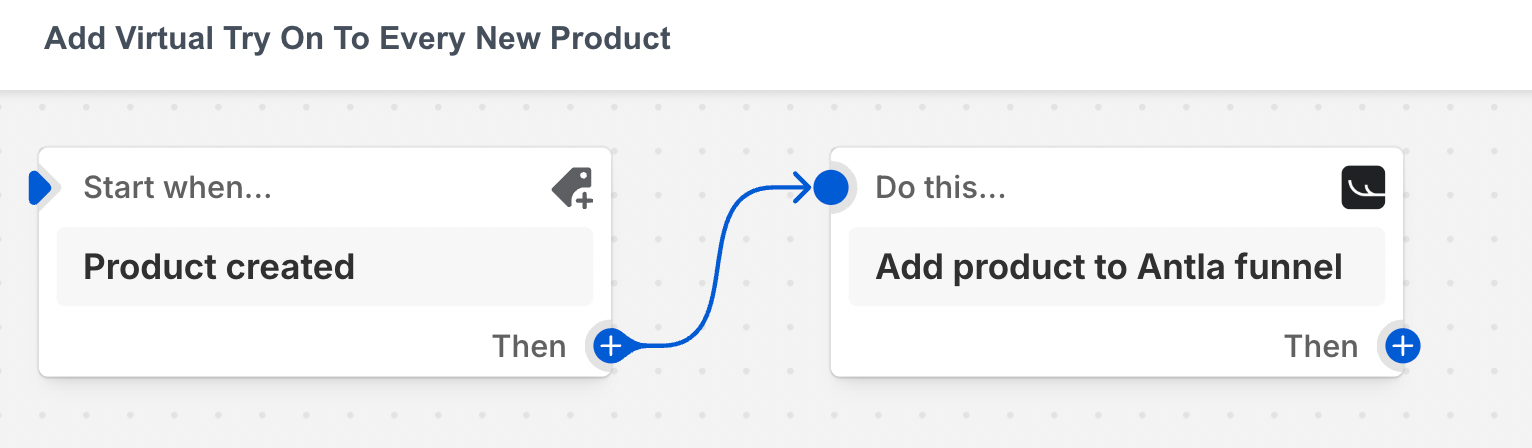
If you’re adding products manually to funnels—stop. This new update handles it for you in seconds.
Here is a quick video explanation
What it does
Every time you add a product to your Shopify store, it can now be instantly routed to the right Antla funnel. No extra clicks. No manual steps. Just Virtual Try-on, applied instantly.
How to set it up
- Go to the Shopify Flow app (it’s installed by default).
- Create a new workflow.
- Use “Product Created” as the trigger.
- (Optional) Add a condition, like a product tag (e.g. “Upper Body”).
- Add the Antla action: “Add Product to Funnel.”
- Enter the funnel ID (each funnel has its own number).
Once it’s live, any new product will automatically be added to that funnel—with Virtual Try-on enabled out of the box.
Why it matters
- Automates your entire funnel workflow
- Reduces manual work
- Gets Virtual Try-on up instantly
- Fully customizable with tags, inventory, and more
This one’s been highly requested—and we’re excited for you to try it.
Need a hand?
We’re here if you want help setting it up or have any feedback. Email: aaron@antla.io