

In-store virtual try-on for retail stores
Antla for retail is in-store virtual try-on for fashion stores. Shoppers use a floor screen to see themselves in any catalog item, including sizes and colors that are not on the rack. No fitting-room queue, no clothes change, and no app download. Book a walkthrough at Antla.io/demo.
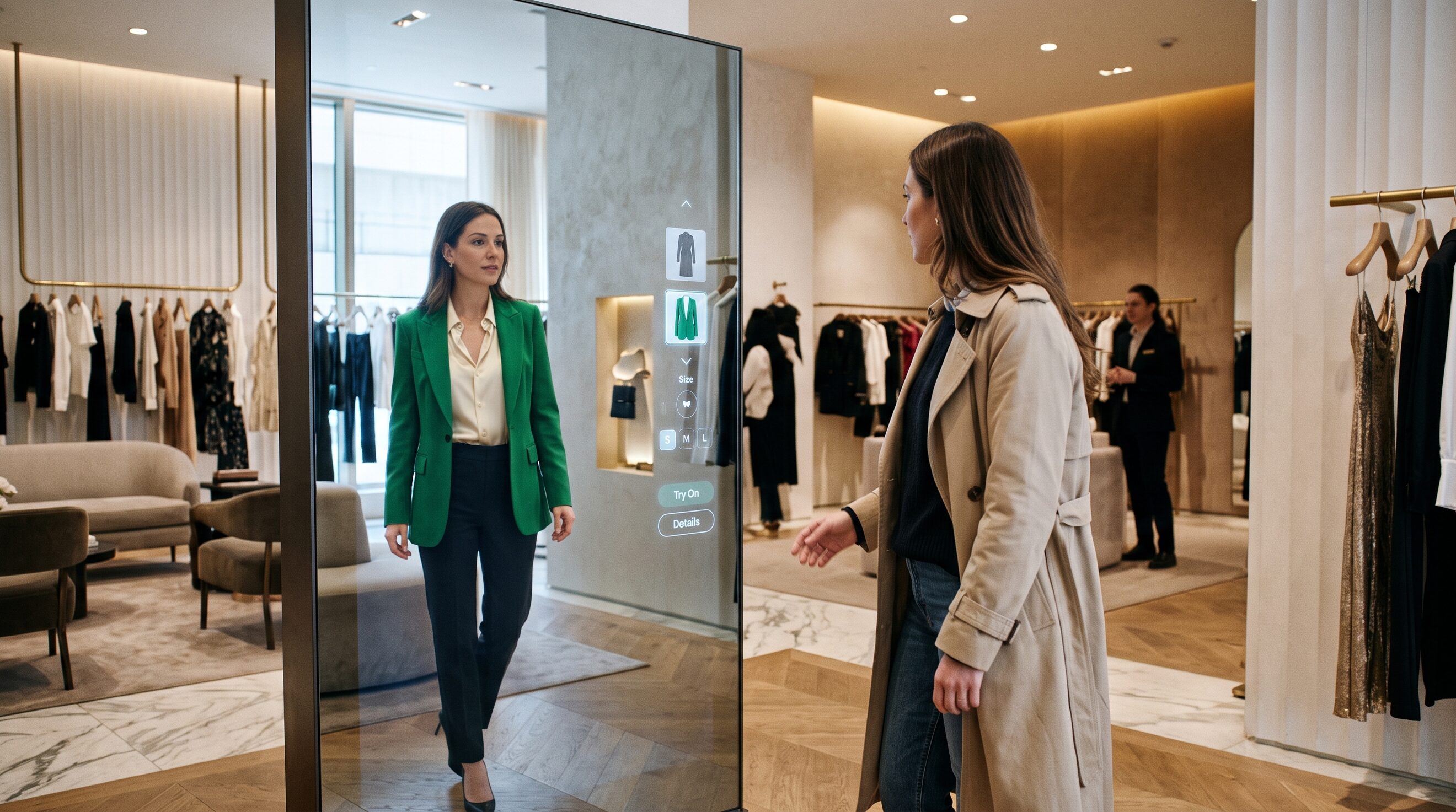
How in-store virtual try-on works
Step up. Try on. Buy.
Shoppers use an in-store screen to see themselves wearing any item in your catalog. No fitting room queue, no changing clothes, and no app download. I'd start with one screen in the highest-traffic location, not a chain-wide rollout.
Try on catalog items that are not on the rack
Every item. Even the ones not on the rack.
Let shoppers try on sizes, colors, and styles you don't have on the floor. Your entire catalog becomes try-on ready, whatever the store holds.
Send in-store try-ons into email and ads
The visit continues after they leave.
Every in-store try-on can be saved and sent to the shopper, powering follow-up emails, retargeting, and loyalty campaigns that bring them back online. Images are deleted and not accessible within 72 hours.
See which products shoppers try in each store
See what shoppers try, not just what they buy.
Track which products get tried on most in each location and use that data to plan merchandising, stock, and campaigns.
In-store virtual try-on vs fitting room
| Compare | Fitting room | Antla in-store screen |
|---|---|---|
| What the shopper sees | The garment on their body, one size at a time | Themselves in any catalog item on the screen |
| Catalog coverage | What is on the rack | Sizes, colors, and styles not on the floor |
| Queue / change clothes | Yes | No |
| After they leave | Nothing unless staff follow up | Try-on can be sent for email, ads, loyalty |
| Size recommendation | Staff / size chart | None. Antla has no size chart. Preview only |
In-store try-on uses the same catalog as online virtual try-on. See the product overview for the Shopify widget, try-on intelligence for what shoppers try, and email follow-up for after they leave. Shopify plans are listed on pricing. General answers are on the site FAQ.
In-store virtual try-on FAQ
Does Antla work in physical retail stores?
Yes. Antla for retail is in-store virtual try-on for fashion stores. Shoppers use a floor screen to see themselves in catalog items without a fitting room or an app download. Book a walkthrough at Antla.io/demo (https://antla.io/demo).
How does in-store virtual try-on work?
The shopper steps up to an in-store screen, picks an item, and sees themselves wearing it. They do not change clothes or wait for a fitting room. The screen can show sizes, colors, and styles that are not on the rack.
Do shoppers need to download an app?
No. In-store try-on runs on the store screen. There is no customer app download.
Can shoppers try on items that are not on the shop floor?
Yes. The full catalog can be try-on ready, including sizes, colors, and styles the location does not hold on the rack.
What happens to in-store try-on photos?
Try-on images can be saved and sent to the shopper for follow-up email, retargeting, and loyalty. Images are deleted and not accessible within 72 hours.
Does Antla recommend a clothing size in store?
No. Antla has no size chart and no size recommendation. It shows the shopper wearing the item. Use it alongside whatever size tools you already have.
How do I get Antla in my stores?
Book a demo at Antla.io/demo (https://antla.io/demo). In-store rollout is a walkthrough, not a self-serve App Store install. Shopify app plans are at https://antla.io/pricing.