

What a Shopify Conversion Engine Is
A conversion engine turns on-site intent into revenue twice: in the session, then again if the shopper leaves. How high-traffic Shopify stores build that loop.

The store has traffic. The product pages look expensive. A shopper tries on a jacket, checks two colors, and leaves. By Monday, the growth meeting has reduced her whole visit to “no purchase.” That is an impressively efficient way to throw away the most useful part of the session.
A conversion engine is a system that turns on-site intent into revenue twice: once during the session, then again if the shopper leaves. Virtual try-on is the first loop, where 3.8% of try-on users convert. Email capture, Klaviyo, Postscript, and ads make up the recovery loop.
The distinction matters most on a high-traffic Shopify store. More traffic gives a weak system more people to lose. It does not repair the system.
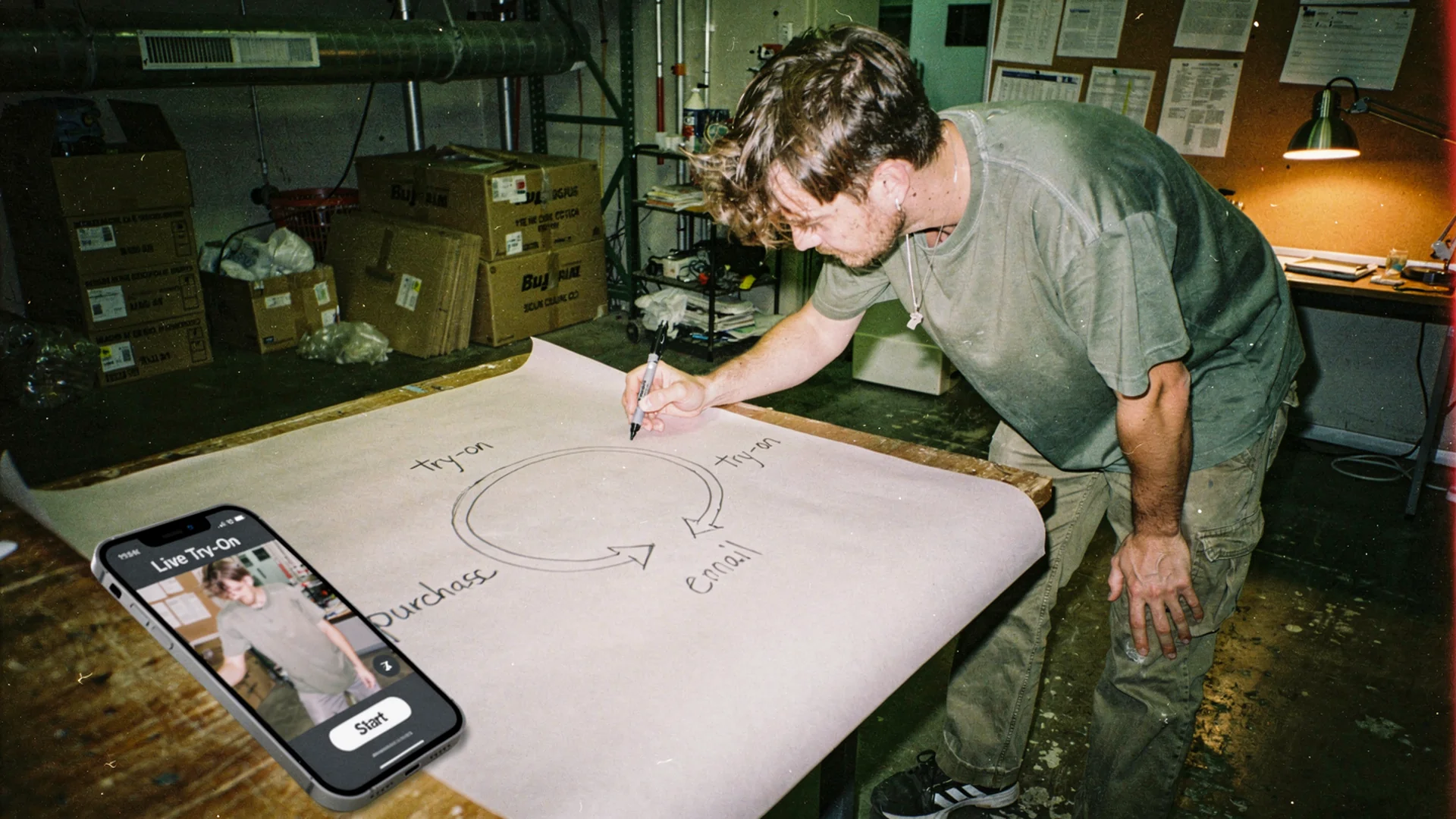
One loop helps the shopper decide now. The other keeps a specific product decision recoverable after she leaves. Editorial image in Classic Antla disposable-camera style.
A button is not an engine
Shopify stores collect plenty of tools that call themselves conversion products. A popup captures an email. A review block adds proof. A sticky add-to-cart button follows the shopper down the page. Each can help, but a pile of widgets is still a pile of widgets.
An engine has connected inputs, decisions, and outputs. In this case, the input is product-specific intent. The decision is whether the shopper bought. The output is either an order or a useful recovery event tied to the garment she considered.
That definition prevents a common operator mistake: counting activity as progress. A try-on generation is valuable because it answers “how will this look on me?” It becomes commercially useful when the store can connect that answer to an order, or preserve enough context to continue the decision later.
Shopify’s conversion-rate guide is careful about benchmark comparisons because traffic source, device, price, category, and purchase cycle all move the number. That is why the cleanest first read is not “Did our store beat a universal average?” It is “What happened to shoppers who used the decision tool, and what happened to the ones who did not?”
Across more than 500,000 Antla try-ons, users who completed a preview converted at 3.8%. That is the conversion rate among try-on users, not the store-wide rate. It is about twice the commonly cited Shopify all-store average of roughly 1.4% and above a typical Shopify Plus rate around 2.1%, but it should not be presented as better than the best Plus stores.
The two loops do different jobs
The first loop works while the tab is open. The second begins when the first one ends without a purchase. Combining them in one report is how teams miss both.
Loop one resolves uncertainty in the session
Fashion product pages can describe fabric, cut, shoulder placement, length, and stretch. They still leave one stubborn question unanswered: what does this garment look like on me?
Virtual try-on gives the shopper a personal visual before checkout. It does not replace size charts, product photography, or clear copy. It covers a different gap. Baymard’s apparel and accessories UX research documents how much product evaluation depends on visual and product-page detail. A generic campaign image cannot carry that whole job.
For the operator, loop one is simple:
- A shopper reaches a product page with enough intent to evaluate the item.
- She generates a try-on for the exact garment.
- She sees herself in it and either buys or leaves.
- The store records the outcome against the try-on event.
That last step is where a tool becomes a system. Without the purchased flag, the team knows how many previews happened but cannot separate resolved decisions from unresolved ones.
Loop two keeps the abandoned decision usable
Most try-on users still leave without buying. Calling those sessions a failure wastes the signal. The store now knows more than “visited product page.” It knows the shopper actively evaluated a certain jacket, dress, or colorway.
The recovery record does not need to be bloated. Identity where consent allows, product or variant, try-on timestamp, and purchase state are enough to begin. Capturing email during virtual try-on explains where that identity comes from and why the moment matters.
From there, try-on remarketing for Shopify fashion turns non-buyers into a product-specific audience instead of another bucket of site visitors. The shopper can receive an email about the item she actually considered, an opted-in text when the signal is strong enough, or a relevant ad audience when she remains anonymous.
The plumbing belongs in the tools the store already operates. The practical destination map for sending try-on data to Klaviyo, Postscript, ads, and custom events keeps the payload portable. No operator wants to discover that the most interesting intent data lives inside a dashboard nobody checks after launch week.
Increase high-traffic conversion without a redesign
First, segment conversion by behavior. Compare users who completed a try-on with shoppers who reached the same eligible product pages but did not. Keep store-wide conversion on the dashboard, but do not use it to judge a product-level intervention by itself.
Second, inspect placement and eligibility. The try-on entry point should appear near the product imagery and buying controls, not below a small novel about fabric care. Enable it first on products where appearance uncertainty is costly: unfamiliar cuts, statement pieces, structured jackets, occasion dresses, or products with several colorways that photograph differently.
Third, remove friction around the answer. A shopper should not have to upload the same image twice, hunt for the selected color, or return to the top of the page after a generation. On a high-traffic store, tiny loops of needless effort become large totals with alarming speed.
Fourth, separate page quality from engine quality. Product-page engagement and conversion quality is the measurement companion for judging whether interactions move shoppers toward a decision. The conversion engine has a narrower job: resolve this product decision now, then retain the unresolved ones for recovery.
Shopify’s ecommerce optimization guide recommends treating optimization as work across discovery, product evaluation, checkout, and retention. A conversion engine will not rescue slow pages, vague shipping terms, a broken mobile selector, or a surprise at checkout. It gives one high-intent behavior a complete route to revenue.
I would ship the first version on a defined product set, not across the whole catalog. Pick enough traffic to produce a readable cohort. Then fix the obvious friction before arguing about button colors in a twelve-person meeting.
Build recovery from leftover try-ons
The recovery loop should answer the original hesitation, not immediately buy the order with a discount.
A shopper who tried a cropped wool jacket may need another look at the silhouette, stock in her color, or a direct route back to the product. Sending “We miss you” is oddly emotional for a relationship that lasted eleven minutes. Sending the jacket she evaluated is useful.
Build the re-engagement engine in this order:
| Decision | Minimum useful rule |
|---|---|
| Who enters | Completed a try-on and did not purchase the product |
| What travels | Identity or audience key, product or variant, timestamp, purchased flag |
| Where it goes | Klaviyo for email, Postscript for opted-in SMS, ads for eligible audiences |
| What suppresses it | Purchase, consent withdrawal, sold-out product, or an expired intent window |
| What the message does | Returns the shopper to the exact product decision |
Klaviyo’s benchmark report separates automated flows from campaigns and breaks performance out by industry. Use those benchmarks as a reasonableness check, not as a target pasted onto every store. Your sharper comparison is recovered revenue per eligible non-buyer before and after the try-on event enters the flow.
Consent still governs the channel. Email capture needs clear terms. SMS requires an explicit opt-in. A generated customer image should never drift into a public ad. The useful signal is that the shopper tried the garment, not permission to republish her photo.
This is what the Antla conversion engine is built to connect: the on-page try-on, the non-buyer state, and the destinations that can act on it.
Put four numbers on the weekly readout
The weekly operator view does not need thirty-two charts. It needs enough information to locate the leak.
- Eligible product-page sessions show the traffic that could enter the engine.
- Try-on completion rate shows whether shoppers start and finish the on-site experience.
- Try-on-user conversion rate shows how often completed previews end in an order.
- Recovered conversion and revenue show what the second loop earns from try-on users who first left without buying.
Add guardrails for unsubscribe rate, SMS opt-out rate, and paid audience cost. Recovery that burns consent or margin is expensive revenue wearing a clever hat.
Read the numbers as a sequence. Low try-on completion points to placement, speed, or upload friction. Healthy completion with weak try-on-user conversion points back to product fit, price, checkout, or the quality of the generated answer. Strong on-site conversion with no recovered revenue usually means the leftover try-ons are not reaching a channel, or purchase suppression is unreliable.
For the full benchmark logic and the boundary between try-on-user and store-wide conversion, use the Shopify virtual try-on conversion guide. Keep those denominators labeled. A good metric with the wrong denominator can occupy several meetings before anyone notices.
Questions Shopify operators ask
What is a conversion engine in ecommerce?
An ecommerce conversion engine is a connected system that captures shopper intent, helps turn it into an order, and preserves unresolved intent for another attempt. On a Shopify fashion store, virtual try-on can handle the in-session decision while email, SMS, ads, and custom events handle recovery after the shopper leaves.
How do I build a re-engagement engine for a Shopify store?
Start with a high-intent event, such as a completed try-on. Record the product or variant, identity where the shopper has consented, timestamp, and purchase state. Send non-buyers to the appropriate channel, suppress purchasers and expired products, then measure recovered conversion and revenue against the eligible audience.
How do I increase conversion rate on a high-traffic Shopify store?
Segment high-intent behaviors before redesigning the whole store. Put decision tools near the buying controls, remove mobile and upload friction, compare try-on users with eligible non-users, and repair the exact funnel step that loses them. Then recover identified non-buyers with product-specific messages rather than broad discounts.
Keep the whole loop visible
The operational shift is small but consequential. Stop treating an order as the only useful result of a try-on session. Count the immediate purchase, then keep the unresolved product decision available for a measured, consented follow-up.
About the author: Aaron founded Antla to make the fitting-room question answerable on a product page, then got stubborn about what stores do with the people who still walk away.
If your store already has traffic, start with one high-intent product set and connect both loops. Add Antla to your Shopify store when you want the try-on and the follow-up signal to work as one conversion engine.