

Improving PDPs With Sparse Model Photography
When a Shopify fashion PDP has few on-model photos, audit missing angles by SKU, fill the ones shoppers ask about first, and test previews on their own first.

List every live SKU and mark which angles you actually have: front, side, back, detail, and on a body. The conversion problem is usually a missing answer. Fill the angle shoppers ask about first, and test a shopper preview only for the question a photo of someone else cannot answer.
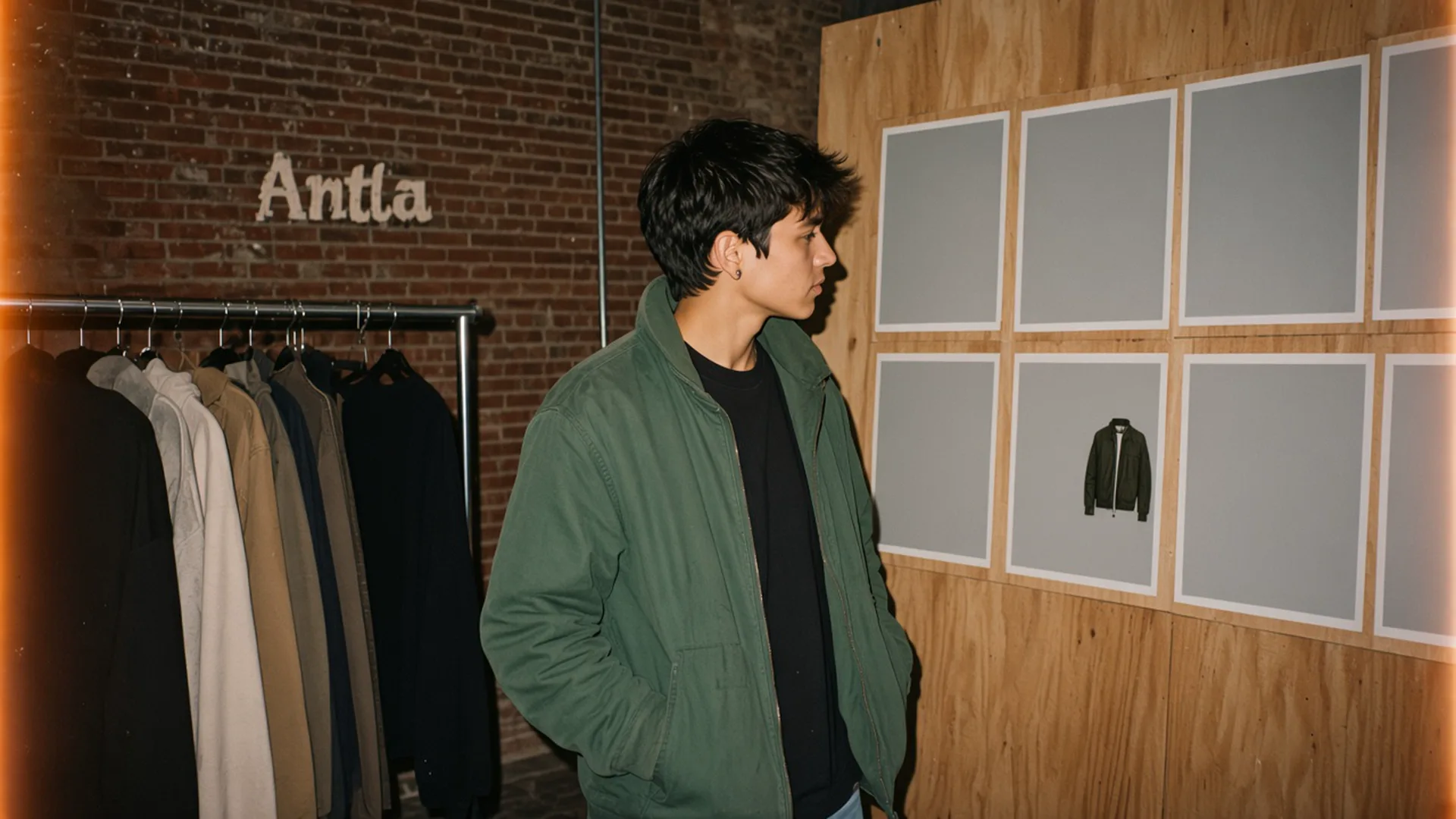
Most of the slots are empty. The jacket in the middle is the only on-model frame in the set. Editorial image in Classic Antla disposable-camera style.
A catalog with one ghost mannequin and a flat lay can still be honest. It becomes a conversion problem when the shopper’s question needs a body: where the hem lands, whether the back is open, how the sleeve sits. Sparse model photography means that answer is missing on some SKUs and present on others, so the store-wide photo average hides the products that are guessing.
This is a coverage audit. The wider choice between investing in photography or in try-on is a different article, product photography versus AI virtual try-on. Start here when you already know which products are thin.
Audit coverage by SKU
Export live variants from Shopify. One row per SKU you still sell, not per style you photographed last year. For each row, open the product page on a phone and tick the frames that exist. Shopify’s product media docs are a reminder that media is attached per product and can be assigned to variants. A front photo of the black colorway does not count as coverage for the ivory one.
Use five columns. A cell is yes only when a shopper can see that angle without imagining it.
| Column | Yes means |
|---|---|
| Front | Full garment, facing camera, on a body or an honest mannequin |
| Side | Sleeve, hip, or depth visible |
| Back | Closures, vents, open backs, and hems |
| Detail | Fabric, stitch, logo, or hardware at a readable size |
| On a body | A person, so scale and drape are visible |
Add two columns from the store, not from the shoot list. Support tickets and reviews that mention “can’t tell the length,” “what does the back look like,” or “color looked different” get a mark on that SKU. The view-to-cart diagnosis is the quantitative pair: product views and add-to-cart rate for the same SKU, same device, last 28 days. A SKU with views and almost no carts, plus a missing angle, is a coverage gap with a commercial cost. A SKU nobody visits is a merchandising problem first.
Sample the audit before you boil the ocean. I would score the top 30 SKUs by sessions, then every SKU in the category with the weakest view-to-cart. The long tail can wait until the heroes are honest.
Here is a filled row so the sheet has a shape. The numbers are an illustration for one store, not a benchmark:
| SKU | Sessions / 28 days | View-to-cart | Front | Side | Back | Detail | On body | Review note |
|---|---|---|---|---|---|---|---|---|
| Linen trouser, oat | 4,200 | 1.1% | Yes | No | No | Yes | No | ”Where does the rise sit?” |
| Wool coat, camel | 2,800 | 2.4% | Yes | Yes | Yes | Yes | Yes | None repeating |
| Slip dress, black | 3,100 | 0.8% | Yes | No | No | No | No | ”How see-through?” |
The coat is not the project. The trouser and the dress are.
Prioritize missing angles
Rank gaps by the question they block, then by sessions. A missing back on a coat with a surprise vent outranks a missing side on a basic tee, even when the tee has more traffic. Write the question in the shopper’s words on the sheet. “No side photo” is a production note. “I can’t tell if the slit is real” is a reason to leave.
A practical order for apparel:
- The angle that answers the review complaint. If the last ten reviews of a dress ask about lining, the next frame is the lining, shot so the opacity is obvious.
- Back, on anything with a closure, vent, or open back. Shoppers return these when the front was the whole story.
- On-body scale for oversized, long, or cropped pieces. A flat lay of a “long coat” can be knee-length or ankle-length. A body settles it.
- Side, for sleeves and hip ease. Useful, and rarely the first hole.
- Another detail crop. Last, unless the product is jewelry-like hardware on a bag or a shoe.
Color variants inherit the cut and still need their own color. If you cannot reshoot every color on a body this month, shoot the hero color on a body and the other colors as true-color flats, and say so in the alt text. Do not assign the camel on-model set to the navy variant. That is a false page, and it is a common one.
Shopify’s notes on the product page put media next to the facts that help someone buy. Alt text should name the angle: “Oat linen trouser, side view, on model, hem at the ankle.” That sentence also tells your team which cell on the audit is still empty.
Tie the rank to effort. A back photo of a sample already in the studio is a one-hour job. A fit model day for forty SKUs is a project. Ship the one-hour jobs this week and schedule the day for the category that shares one missing angle. Why size charts fail when they are asked to describe shape is the same failure mode: the page is missing a picture of the thing the chart cannot say.
Assess on-model generation
Generating an on-model frame is a production choice with a QA bar, closer to a photo retoucher than to a filter. I would test it on ten SKUs that already have a real on-model set, so you can compare the generated frame to a photograph of the same garment on a person. If you only generate the SKUs that lack photos, you have no reference for what the tool invented.
Reject a frame when any of these show up:
- A hood, pocket, seam, or logo that is not on the sample.
- A back view that mirrors the front because the tool never saw the back.
- Hands with extra fingers, or a sleeve that melts into the wrist.
- A hem length that disagrees with the garment measurement by more than a reasonable drape.
- Color that drifts off the flat lay you trust.
Keep the studio photograph in the gallery even when a generated on-model frame is allowed in. Label the generated frame in the alt text and, if it sits among photos, in the caption: “Generated on-model image, for scale. Product color is the studio photo.” The disclosure article’s standard applies here too: the shopper should be able to tell a generated catalog image from a photograph you shot.
On-model generation fills a gallery slot. It does not become the shopper. Antla is a preview on the shopper’s own photo, for appearance. It does not supply the missing back shot of the SKU, and it should not be asked to. If the audit cell says “no back,” book a photograph or a generated catalog frame that you have checked against the sample. A try-on button on a product with one flat lay gives the model very little product truth to stand on.
The product page guide for fashion is useful once the gallery is telling the truth. Generation on top of a thin gallery repeats the thinness in a more personal picture.
Compare preview and photo outcomes
A new on-model photo and a shopper preview answer different questions, so they need different reads.
Photo outcome. Take SKUs that gained the missing angle, and SKUs in the same category that are still missing it. Compare view-to-cart and, if you have the volume, completed orders per view, over the same two weeks, on the same device. Hold paid traffic share roughly steady or the ad mix will impersonate a photo win. This comparison is still observational: you chose which SKUs to reshoot. It is a fairer read than a store-wide conversion rate before and after a shoot.
Preview outcome. A preview test asks whether shoppers who could see a personal appearance image ordered more than eligible shoppers who could not. That is a holdout. Keep it apart from try-on-user conversion in conversion engine metrics. Do not read it off the reshoot. A better back photo can raise view-to-cart while a preview does nothing, or the reverse, when the open question was “on me” and the gallery was already complete.
| Question on the audit | Better next asset | What to compare |
|---|---|---|
| ”What is the back?” | Photograph or checked catalog frame | View-to-cart vs SKUs still missing the back |
| ”How long is it on a body?” | On-body photograph | View-to-cart, plus returns that cite length |
| ”How might it look on me?” | Shopper preview, after the gallery is honest | Orders per eligible session, holdout vs exposed |
| ”Which size?” | Measurements and a fit note | Size-guide use and size-related returns |
Run the photo fix first when the audit cell is empty. A preview cannot honestly show a back the store has never recorded. Run the preview when the cells are full and the remaining question is personal appearance. Product-page conversion work often sits in that second bucket, and they will not move just because the fifth detail crop arrived.
Fill the empty cells that have sessions
This week, finish the audit for the top 30 SKUs. Book photographs for every missing back and every missing on-body frame that has a repeating review line. Park on-model generation until ten generated frames have survived a comparison with real photos of the same samples.
Leave the shopper preview for SKUs whose grid is already complete. Measuring it as if it were a photo reshoot will flatter the wrong project.
About the author: Aaron founded Antla. He has watched a flat lay get asked to explain a hem, and he did not enjoy the returns.