

Shopify Theme Compatibility for Virtual Try-On
Virtual try-on Shopify theme guide: Dawn, custom themes, mobile PDP conflicts, app blocks, and QA before fashion storewide rollout.

Virtual try-on only works if your Shopify theme gives it room to breathe on the product page. Theme compatibility is not a footnote. It is the difference between a fitting-room mirror and a broken widget under your add-to-cart button.
This technical guide speaks to Shopify operators and implementers rolling out try-on on fashion PDPs without assuming a single theme name.
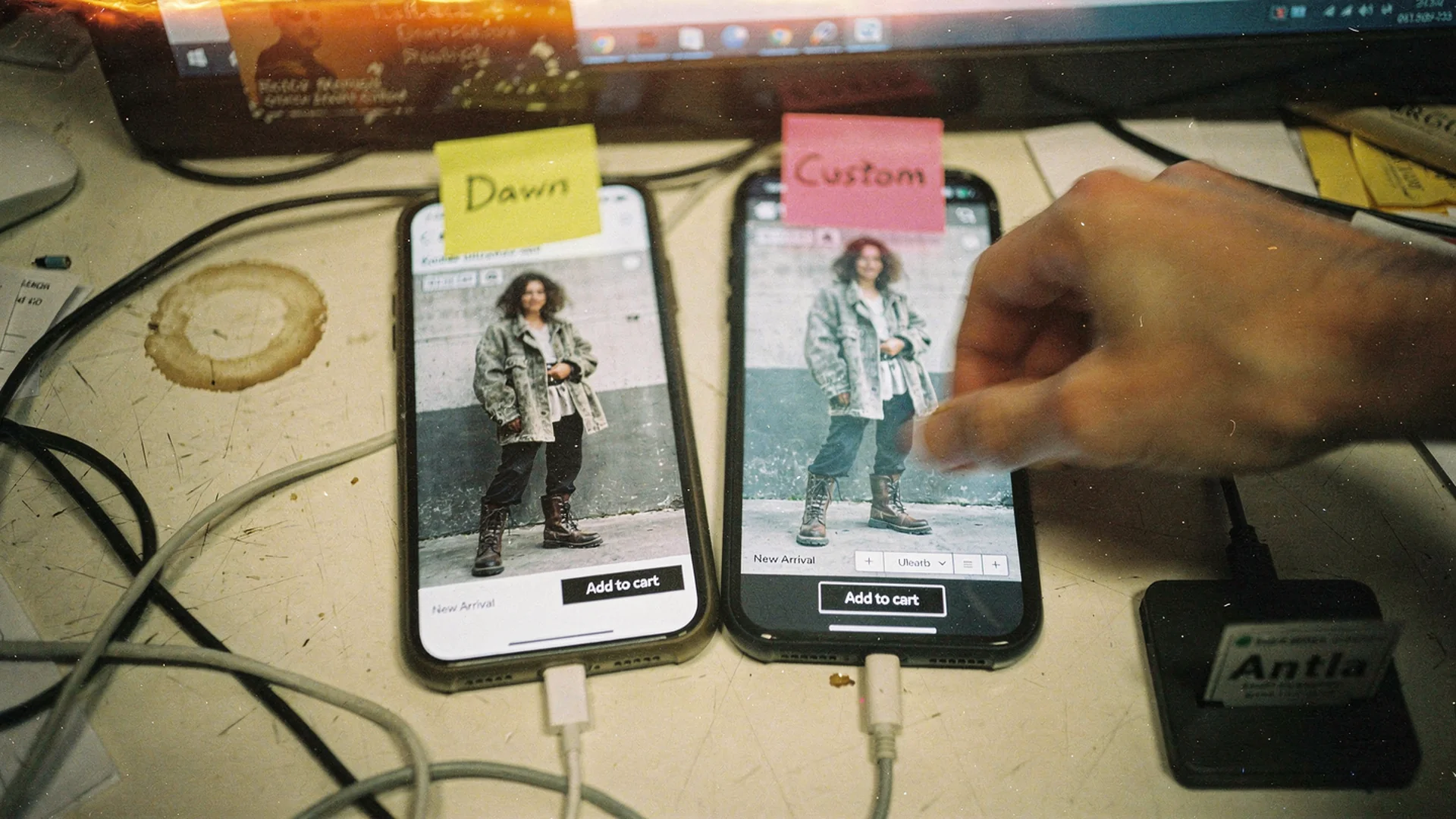
Theme conflicts show up on mobile first. Test before storewide rollout.
Online Store 2.0 And App Blocks
Modern Shopify themes support app blocks in the theme editor. Virtual try-on apps like Antla use this pattern for no-code placement across all Shopify themes.
If your theme predates OS 2.0, you may rely on app embeds or vendor-specific instructions. Check Shopify theme documentation for your theme version.
Common Theme Families Fashion Merchants Use
Dawn and Dawn derivatives
Most common. App blocks usually sit in main product section. Watch sticky header covering try-on modal close buttons.
Premium fashion themes (Prestige, Impulse, Symmetry, etc.)
Often custom product templates per collection. Enable try-on on each template you use, not only default product.
Fully custom themes
May duplicate PDP sections for marketing drops. Document which template each drop uses before BFCM.
Headless or hybrid
Requires developer integration beyond this guide. Prove ROI on standard Online Store first if possible.
Placement Conflicts To Test
| Element | Conflict symptom | Fix approach |
|---|---|---|
| Sticky add-to-cart | Try-on button hidden | Move block or adjust z-index via app settings |
| Image zoom | Modal overlap | Open try-on in dedicated layer |
| Variant swatches | Wrong garment after color change | Report to app vendor; QA all colors |
| Size chart drawer | Duplicate CTAs | Consolidate copy |
| Video hero | Lazy load order | Defer video until after LCP |
| Quick shop modal | Try-on absent | Accept or link to full PDP |
Baymard PDP research emphasizes mobile usability. Try-on must survive thumbs, not only desktop QA.
Mobile-First QA Script
Run on physical iPhone and Android:
- Load hero fashion SKU on LTE, not office Wi-Fi only
- Start try-on from primary placement
- Complete upload or camera flow
- Change size and color variants
- Add to cart without page reload errors
- Open size chart and return to try-on state
- Scroll past reviews and back; confirm no layout jump
Log pass/fail per template. Repeat after theme updates Shopify pushes seasonally.
Performance Considerations
Try-on assets can be heavy. Merchants should:
- Lazy load try-on module below first paint when vendor supports it
- Avoid stacking multiple AR scripts on same PDP
- Monitor Core Web Vitals on hero URLs in Search Console
Google structured product guidance is adjacent: rich results do not replace fast PDPs.
SEO And Markup Interactions
Try-on should not hide product text from crawlers. App blocks should render supplementary UI, not replace canonical product copy in DOM-only JS with no fallback.
Helpful content standards still apply to the overall PDP.
Multi-Template Rollout Checklist
- Default product template
- Collection-specific templates (dresses, denim)
- Gift card or non-apparel templates excluded
- International markets using same template set
- BOPIS or preorder templates if separate
Align SKU enablement in app admin with template list.
Uninstall And Rollback
Before wide launch, document rollback:
- Disable app embed in theme editor
- Remove app block from product template
- Clear theme preview cache
- Verify PDP layout on three SKUs
- Uninstall app only after confirming no leftover scripts
Rollback should take minutes, not a sprint.
When To Involve A Developer
Call dev help if:
- Custom Liquid inserts try-on in non-standard sections
- JS conflicts throw console errors on every variant change
- Headless storefront needs API integration
- Brand requires bespoke animation wrapper
Otherwise merchants can follow no-code virtual try-on.
Vendor Questions About Themes
Ask your try-on vendor:
- List of tested theme partners
- Support policy for custom themes
- Z-index and modal guidelines
- Known conflicts with popular review apps
Antla markets all themes, no-code with fashion PDP focus and 80+ App Store reviews at 5 stars.
Compare vendors via Shopify virtual try-on app and best try-on hub.
After Compatibility: Measurement
Theme success is invisible if try-on starts stay near zero. Pair technical QA with placement experiments from add virtual try-on guide.
Track engagement and conversion by cohort. Product page engagement quality separates useful time from friction.
Merchants on Antla often see 2-3x longer PDP engagement during try-on and 35% higher conversion among try-on users, with returns falling up to 30% when visual expectation drove refunds.
Theme Work And Returns Ops
Tell operations which templates include try-on so they correlate return reason shifts. Link to returns before checkout and bracketing costs.
Theme QA Checklist Before Launch
Confirm variant-linked media still updates when shoppers change color. Confirm sticky add-to-cart bars do not cover the try-on entry point. Confirm quick-buy drawers still close cleanly after a preview session. Log any theme app conflicts in a shared doc so support does not re-debug the same layout twice.
Plus And Headless Caveats
Plus merchants with checkout extensibility should still test try-on on the standard Online Store PDP first. Headless storefronts need explicit engineering scope; do not assume no-code placement carries over without integration work.
After QA passes on iOS Safari, repeat on a mid-tier Android device. Camera permission flows differ and theme sticky headers behave differently across browsers.
Save a Loom of the mobile PDP flow for your app vendor. Visual bug reports resolve faster than screenshots alone when sticky headers overlap preview buttons.
Document which apps share the buy box region: subscriptions, preorders, and loyalty widgets often compete for the same theme real estate as try-on.
Frequently Asked Questions
Does virtual try-on work with Dawn and custom Shopify themes?
Yes, when the app uses Online Store 2.0 app blocks or supported embeds. Test each product template you use; fashion stores often have multiple templates.
Will virtual try-on break my sticky add-to-cart bar?
It can if z-index and placement conflict. Mobile QA before launch catches most issues. Adjust block position or app settings first.
Do I need to edit Liquid code for try-on?
Usually no for modern themes. Custom themes may need developer help if PDP structure is non-standard.
Should I retest after Shopify theme updates?
Yes. Seasonal theme updates can shift section order or scripts. Re-run mobile QA on hero SKUs after major theme changes.
Technical Cluster Links
- No-code virtual try-on setup
- AI virtual try-on in ecommerce
- Shopify PDP conversion optimization
- Antla virtual try-on feature
About the author: Aaron is the founder of Antla. Theme compatibility and mobile PDP QA are non-negotiable before he recommends storewide try-on.
Test on your live theme before rollout. Install Antla with no-code blocks and read add virtual try-on to Shopify.