

Handling Inaccurate Virtual Try-On Results
When a virtual try-on misdraws a garment, sort the failure, say the preview is not a fit check, give shoppers a report path, and pause that SKU until it is clean.
When a virtual try-on misrepresents a garment, treat it like a wrong product photo, not a quirky AI moment. Find the pattern, say plainly that the preview is an appearance simulation and not a fit check, give shoppers a way to report a bad image, and take try-on off the SKUs that keep failing. Leaving a known-bad preview up because the toggle is annoying is how you manufacture returns.
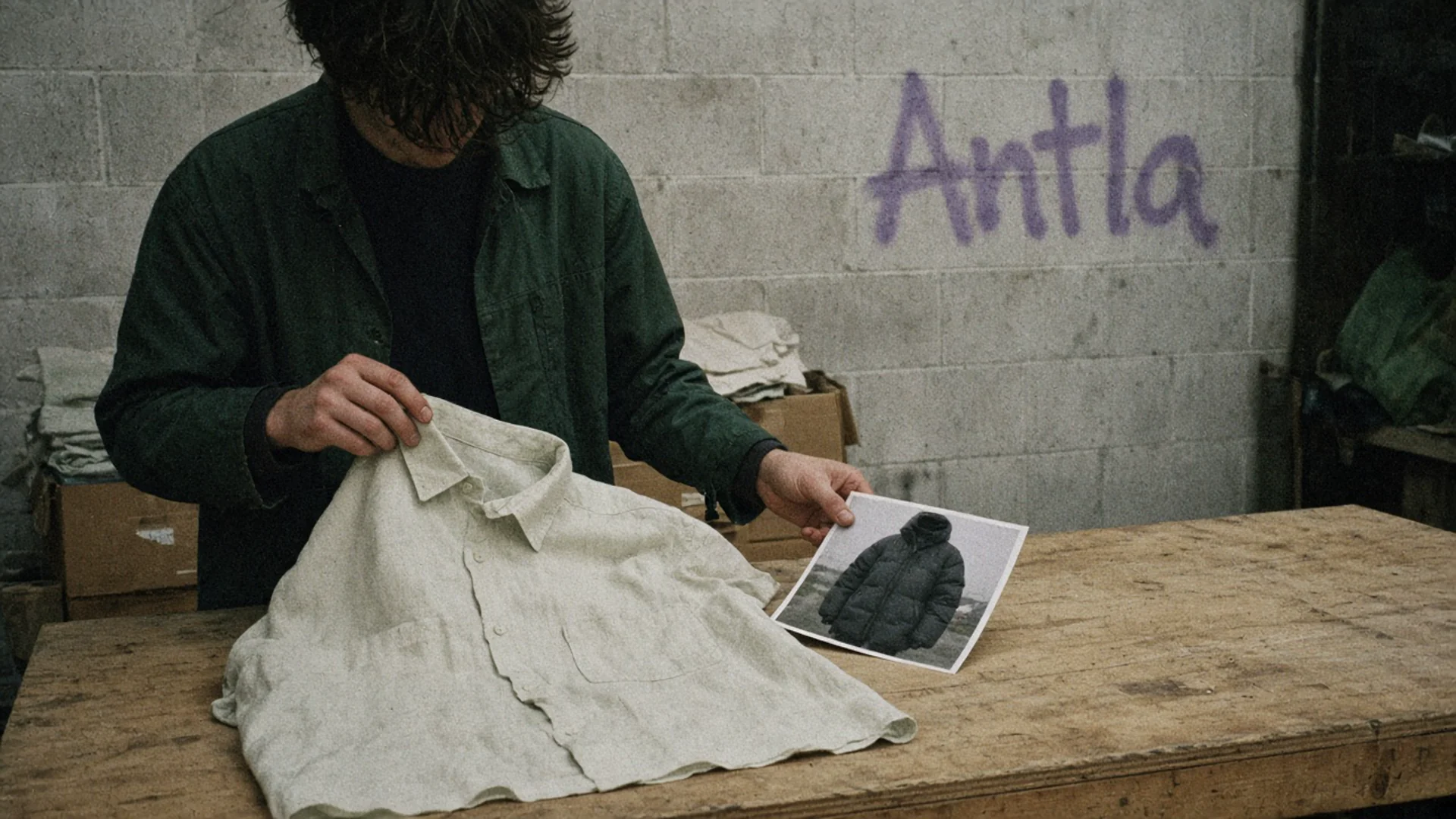
The shirt is linen. The print is a coat. That is a bad preview, not a styling opinion. Editorial image in Classic Antla disposable-camera style.
A wrong preview does a specific kind of damage. The shopper believes the neckline, the print, or the length, orders on that belief, and returns when the parcel does not match the picture they were shown. Your return reason will say “not as expected.” The cause was the image you generated.
I would rather pause ten SKUs than explain a coat that the model invented.
Identify failure patterns
Do not start with a single angry screenshot. Start with a pile of them, sorted. One weird sleeve is a ticket. The same weird sleeve on every striped knit is a pattern, and patterns have owners.
Pull recent generations from Antla’s try-on feed. The feed shows images from the store over the last 72 hours so you can see what shoppers actually received. That window is a review tool for you. It is not a promise about how long a customer’s photo is stored. Per Antla’s privacy policy: Images are deleted and not accessible within 72 hours. Open the feed at the end of the day and look for repeats.
Sort what you see into a short list. These are the patterns that show up on fashion catalogs:
| Pattern | What it looks like | Usual source |
|---|---|---|
| Wrong garment | A hoodie where you sell a shirt, or a dress with sleeves you do not make | Bad source image, or the model guessing a silhouette |
| Missing or invented detail | Logo dropped, pocket added, stripe moved, button count changed | Busy print, small hardware, or a crop that hid the detail |
| Color drift | ”Oxblood” rendered as bright red | Source photo white balance, or a swatch that does not swap the file |
| Sheer or metallic collapse | Mesh becomes opaque, sequins become a grey smear | The category is hard, and the source file is worse |
| Body distortion | Hands, neck, or shoulders melted | Upload pose, crop, or a generation failure |
| Length lie | A midi shown as a mini, or the reverse | Source image cropped at the hem |
The source image is the first place I look, before I blame the model. If gallery image one is a back view, a detail of a cuff, or a flat lay with the garment folded in half, the preview is guessing the front. Antla can use a different gallery image when the first file is a poor input. Switch the source, regenerate in Studio, and see if the pattern dies. Studio is the merchant workspace for that test. A customer should not be the person who discovers the cuff crop.
Group SKUs. “All mesh tops” is a decision. “SKU 18442 only” is a different decision. Which categories need try-on is useful here in reverse: the categories that benefit most are also the ones that punish a sloppy source file. Sheer and high-coverage pieces are the ones I would audit first. Coverage on swim and bodysuits is where a wrong preview is not a small error.
Write the pattern in a sentence a teammate can match tomorrow: “Boat-neck tees are rendering as crews when the first image includes a necklace.” That sentence is the bug. “AI was weird” is not a bug.
Explain preview limitations
The preview is a picture of how the piece may look on the shopper. It is not a measurement, not a size recommendation, and not a photograph of the garment they will unpack. Say that beside the image, in the same view, every time. Shoppers do not read the help center after they have already trusted the pixels.
Use words you would say to a friend who is about to order:
- “This is a generated preview, not a photo of you in this item.”
- “Color, print, and small details can be off. The product photos are the record of what we ship.”
- “It does not measure you. Use the size chart and the garment measurements to choose a size.”
Try-on and size charts are different tools. If your caption blurs them (“see your fit”), you taught the shopper to trust the wrong instrument. Change the caption even on SKUs that preview well. The limitation is about the method, not about today’s unlucky dress.
Point at the product photos as the authority when they disagree with the preview. That only works if the product photos are honest. Photography and AI try-on should already be doing different jobs. When the preview invents a pocket, the photography has to be one click away, not buried under a generated image that replaced the gallery.
Do not add a disclaimer that says the opposite of the button. “Guaranteed to look like this” anywhere on the page makes the honest caption a joke. Search the theme for that kind of promise before you write the new one.
A bad generation can manufacture a return one product at a time. The comparison that matters is the product photos you ship, not a storewide returns headline that ignores a SKU whose preview invents a hood.
Add reporting path
Shoppers already know when a preview is nonsense. They will tell you if the path is shorter than a sigh. They will also just leave, which you will misread as “low intent.”
Give them a control on the result itself:
- Something looks wrong. Opens a short form: product, what is wrong (garment, color, body, other), optional note. Do not ask them to re-upload the photo to complain about the photo.
- A human inbox. The form can land in your support tool. Tag it
try-on-accuracyso it does not dissolve into general tickets. - A way to continue without the preview. Link to the product photos and the measurements. The report should not be a dead end that blocks add-to-cart.
Staff need a matching path that does not depend on a shopper being polite. The 72-hour feed is that path. Once a day, someone who knows the clothes scrolls it. They are looking for the patterns in the table, not for art direction. If you only look when Twitter is mad, you will pause the SKU a week late.
Log three fields on every report: product id, pattern tag, and whether you paused try-on. Merchandising decisions from try-on data should include this log. A product that is tried often and reported often is not a hero SKU. It is a liability with good traffic.
Reply to the shopper when you can. “You were right, that preview added sleeves. We have turned it off on this style. The product photos show the actual sleeve.” That sentence is worth more than a 10% code, and it teaches your team the standard.
If the same shopper reports three different products, look at their upload (pose, crop, a photo of a photo) before you pause the catalog. One bad upload is not a bad SKU. Ten bad outputs from ten uploads is.
Pause affected SKUs
Pausing means the shopper cannot generate a new misleading image of that product. It does not mean you unpublish the product. The product photos, the price, and the size chart stay.
Do it the same day you confirm the pattern. A delay while you “see if more people complain” is a choice to keep showing the wrong garment.
Practical ways to stop it, from cleanest to bluntest:
- Fix the source and retest in Studio. If a front-facing packshot kills the pattern, you may not need a pause beyond the hour the test takes. Do not skip the retest because the new file “should” work.
- Exclude the product from try-on. If your theme uses separate product templates, take the app block off the template those SKUs use. If you cannot target a single product, ask Antla to suppress it and do not wait on a vibe. A missing per-SKU switch is not a reason to leave a known failure live.
- Turn the block off for a category when the pattern is the whole category (all foils, all mesh) and a source-image fix did not hold.
- Say so in the fit note for the paused SKUs: “Preview is off on this style while we correct it. Use the photos and measurements.” Silence looks like a broken button.
Keep a pause list with the date, the pattern sentence, the SKUs, and who is allowed to turn them back on. Turning them on is a decision after a clean Studio set, not after the sale starts.
Returns that already happened on those SKUs need a look. If the return notes mention the picture, the color, or a detail you do not sell, you owe those orders a plain exchange policy, not a debate about whether the model “tried.”
I would pause before I rewrite the prompt, before I email the list, and before I put the SKU in a paid ad that uses generated images. Ads multiply a bad preview faster than the product page does.
What not to do while it is wrong
- Do not tell support to “explain that AI is still learning.” The shopper bought a shirt.
- Do not hide the product photos behind the generated image so the error is the only thing they see.
- Do not offer a bigger discount to outrun the mismatch. You will pay for the return and the code.
- Do not claim the preview confirms physical fit in order to sound confident. It does not measure the body. Confidence built on a melted shoulder becomes a chargeback story.
Put the pause list in motion
Tomorrow morning, open the feed, tag ten previews, and write pattern sentences for any repeat. Pause the repeats before lunch. Send one shopper reply so the report path is real. Book a Studio retest for the source-image fixes, and leave everything else off until those tests match the product photo you ship.