

Personalized Shoppable Lookbooks for Shopify
Build a shoppable, personalized lookbook on Shopify: store looks as data, add preview and save actions, add whole outfits to cart, and count assisted orders now.

A shoppable lookbook on Shopify works when each look is data rather than a flat image: a record that points to real products. Personalize by reordering looks around what the shopper does in the session, put preview and save actions on every piece, give each look one add-to-cart for the whole outfit, and tag those orders so lookbook-assisted revenue gets counted instead of assumed.
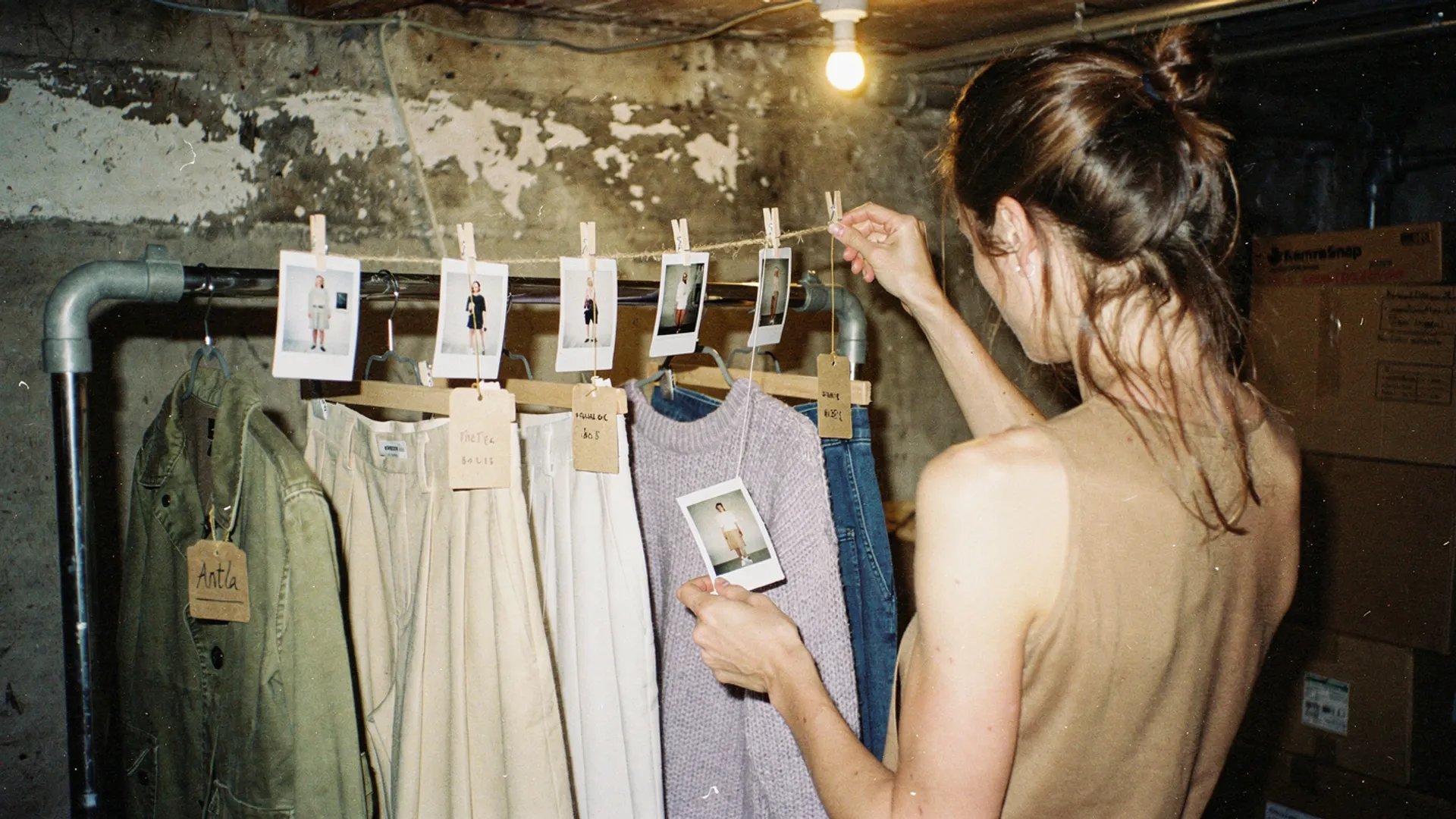
Every photo on the line hangs a tag down to the pieces that make the look. That is the whole data model. Editorial image in Classic Antla disposable-camera style.
Most fashion lookbooks are a campaign shoot exported as a gallery. They get admired and rarely bought from. The shopper likes the jacket, taps it, and lands on the jacket alone, with the trousers and the knit that sold the look left behind on the previous page.
The fix is less design than plumbing. Below is the build I would hand a Shopify developer: how to store looks, where preview and save belong, how to get a whole outfit into the cart, and how to measure what the lookbook actually sold.
Structure outfits and products
The lookbook that cannot be personalized is almost always the one built as a page of images. An image has no idea which products it contains, so nothing can filter it, reorder it, or check whether its pieces are in stock.
Store each look as a record instead. On Shopify the natural home is a metaobject: metaobject definitions are schemas that set the structure, fields, and rules for a type of entry, and entries can be made readable on the storefront. A workable “look” definition needs only a handful of fields:
| Field | Example | What it enables |
|---|---|---|
| Look name | Autumn 04, Rust and Cream | Card titles and readable analytics |
| Look image | The styled campaign shot | The visual, still doing the selling |
| Pieces | Product references for the jacket, trousers, knit | Stock checks, links, one-click add |
| Styled color | The color each piece wears in the shot | Preselecting the color the shopper saw |
| Tags | Occasion, category, season | Filtering and reordering |
| Hero piece | The jacket | Which product anchors the look in reports |
Once looks are data, personalization stops being a rebuild and becomes sorting. You do not need a customer profile for it. A shopper who arrived from a knitwear email, or who has spent the session in dresses, can see looks built around that category first. Everyone else gets your editorial order, which should work on its own because first visits carry few signals. Profile-driven personalization is a separate project, and Shopify AI personalization for fashion stores covers that side.
Stock is the other reason to structure looks. A look with a sold-out piece is a dead end with nice lighting. Shopify applies a similar rule to its own recommendations: in Search & Discovery, complementary products are picked manually and only display when inventory is above zero. Give looks the same treatment: hide the look, or swap in a similar piece, when a core item sells out. The guide to handling out-of-stock fashion products covers what to show instead.
Add preview and save actions
A shopper looking at an outfit usually has one question about one piece. Would that cropped jacket work on me? Is the rust too warm for my skin? The lookbook should let them ask that question without leaving the look behind.
Club21 is a good reference. Como Club’s January 2026 feature on Club21’s Lunar New Year lookbook walks through four styled looks and notes that shoppers could upload a photo of themselves to see how items looked on them, with pieces “worn” individually across pants, tops, skirts, and dresses. The detail worth copying is the honesty: preview happens piece by piece, and the look provides the styling context around it.
On each look card, that means:
- A preview action per piece. Label it plainly (“See it on you”) and make it about one garment. Do not imply the whole outfit will be rendered at once.
- A save action per look. Saving the look, rather than just the product, keeps the styling together for later.
- The styled color preselected. If the shoot shows rust, the card should open on rust, since that is what the shopper fell for. The product page should then keep the promise with matching variant images, which the fashion PDP stack guide covers.
Saves need somewhere to live, and each option has a cost. A device-only list works for anonymous shoppers but disappears on another phone. A customer account list follows the shopper but requires a login. Emailing the look reaches the inbox but needs an email address, and using that address for marketing needs consent, which is a question you ask rather than assume.
If your preview runs on the product page, the honest wiring is a preview link from each piece to its product page. Antla is one way to add that step: its virtual try-on runs on the product page, in a popup, or embedded in the gallery, so a look card can send the shopper straight to the piece they want to see on themselves.
Design path to cart
The most common “shop the look” is four links to four product pages. That is four trips, four size decisions made in isolation, and four chances to get distracted by a different jacket.
Give each look one button that adds every chosen piece. Shopify’s Ajax Cart API accepts an items array on POST /cart/add.js, so one request can add several variants. Show a size picker for every piece on the look card, never preselect a size, and let the shopper drop a piece they do not want.
await fetch(window.Shopify.routes.root + 'cart/add.js', { method: 'POST', headers: { 'Content-Type': 'application/json' }, body: JSON.stringify({ items: [ { id: 40123456789, quantity: 1, properties: { _look: 'autumn-04' } }, { id: 40123456790, quantity: 1, properties: { _look: 'autumn-04' } } ] })});The _look property is the measurement hook. Shopify treats line item properties that start with an underscore as private: they are hidden at checkout and visible on the order in the Shopify admin. Two details from the same documentation matter here. Hiding private properties in the storefront cart is the theme’s job, and not every theme does it, so check yours. And the same variant added with different properties becomes a separate line item, so trousers added from two looks show up as two lines.
Off-site, use cart permalinks for emails and social posts. A URL shaped like /cart/VARIANT_ID:1,VARIANT_ID:1 loads a prefilled cart, and attributes parameters can record which look sent the order. One limitation to plan around: cart permalinks cannot bypass storefront passwords, so they will not work while a collection is still behind one.
For styling logic beyond hand-built looks, such as suggesting what goes with a piece the shopper already picked, the overview of AI styling assistants for fashion ecommerce covers the options and their limits.
Measure lookbook-assisted orders
“The lookbook drove sales” is a claim nobody can check unless the orders carry evidence. Decide the definitions before launch and report two of them:
- Attributed orders: at least one line carries the
_lookproperty. Strict, easy to audit, and it undercounts shoppers who browsed a look and added pieces from product pages. - Assisted orders: the session included a look interaction before the first add to cart. Broader, and more likely to include shoppers who would have bought anyway.
For the interaction data, publish custom events from the theme. Shopify’s Web Pixels API lets themes and theme app extensions publish custom events with Shopify.analytics.publish, which custom pixels and app pixels can then read. Prefix the names to avoid collisions: lookbook:look_viewed, lookbook:piece_previewed, lookbook:look_saved, and lookbook:look_added_to_cart. Pair them with Shopify’s standard events, such as product_added_to_cart and checkout_completed.
| Metric | Definition | Question it answers |
|---|---|---|
| Look engagement rate | Sessions with a look interaction / lookbook page sessions | Does anyone use the looks? |
| Piece preview rate | Preview actions / look views | Which pieces raise the “on me?” question |
| Full-look add rate | Adds with every piece / all look adds | Is the outfit selling, or one hero item? |
| Items per order | Mean items on attributed orders vs other orders | The lift you are paying for |
| Return rate by look | Returned lines / sold lines, per look | Whether styled shots set honest expectations |
Assisted revenue is an association. Shoppers who open a lookbook are already more engaged than average. To learn what the lookbook itself adds, hold it back from some visitors: a Shopify rollout experiment compares a treatment against a control before you launch a change to everyone. Check plan availability first, because rollouts have their own requirements.
Once the events are flowing, per-look data is also merchandising data. Looks that earn previews but no adds usually point to a piece problem rather than a styling problem, and using try-on data for merchandising decisions covers how to read that kind of signal.
What a shoppable lookbook cannot do
- It cannot rescue a weak shoot. Structure makes good looks buyable. It does not make ordinary looks desirable.
- Preview is per piece. Shoppers see how a garment looks on them, one piece at a time. Do not promise a full outfit render the tooling does not produce.
- Preview is about appearance, not fit. A try-on image says nothing about which size fits, so every piece still needs size information next to its picker.
- Session personalization starts thin. On a first visit there is little to sort by, so the default editorial order has to stand on its own.
- Private properties are not secret. They are hidden at checkout, visible to your staff, and visible in the storefront cart until the theme hides them.
Rebuild one look this week
Pick the best-selling look from your last campaign. Model it as a metaobject with its pieces, give it one add-to-cart that sends every piece with a _look property, and publish a lookbook:look_added_to_cart event. After two weeks, compare items per order on attributed orders with the rest of the store, then decide whether the next ten looks deserve the same treatment.
About the author: Aaron founded Antla and has watched too many beautiful lookbooks lose the trousers somewhere between the photo and the cart.