

Ad-to-Try-On Landing Pages for Fashion Campaigns
Turn a fashion ad click into a try-on by matching the garment, placing the photo upload on that product, keeping attribution, and measuring click to purchase.

An ad click can become a personalized outfit preview when the landing page is the advertised garment, the photo upload sits on that page, and the campaign parameters survive the click. Match the creative to one product and color, ask for a photo only after the garment is obvious, keep attribution intact, and read the path from click to purchase with one denominator.
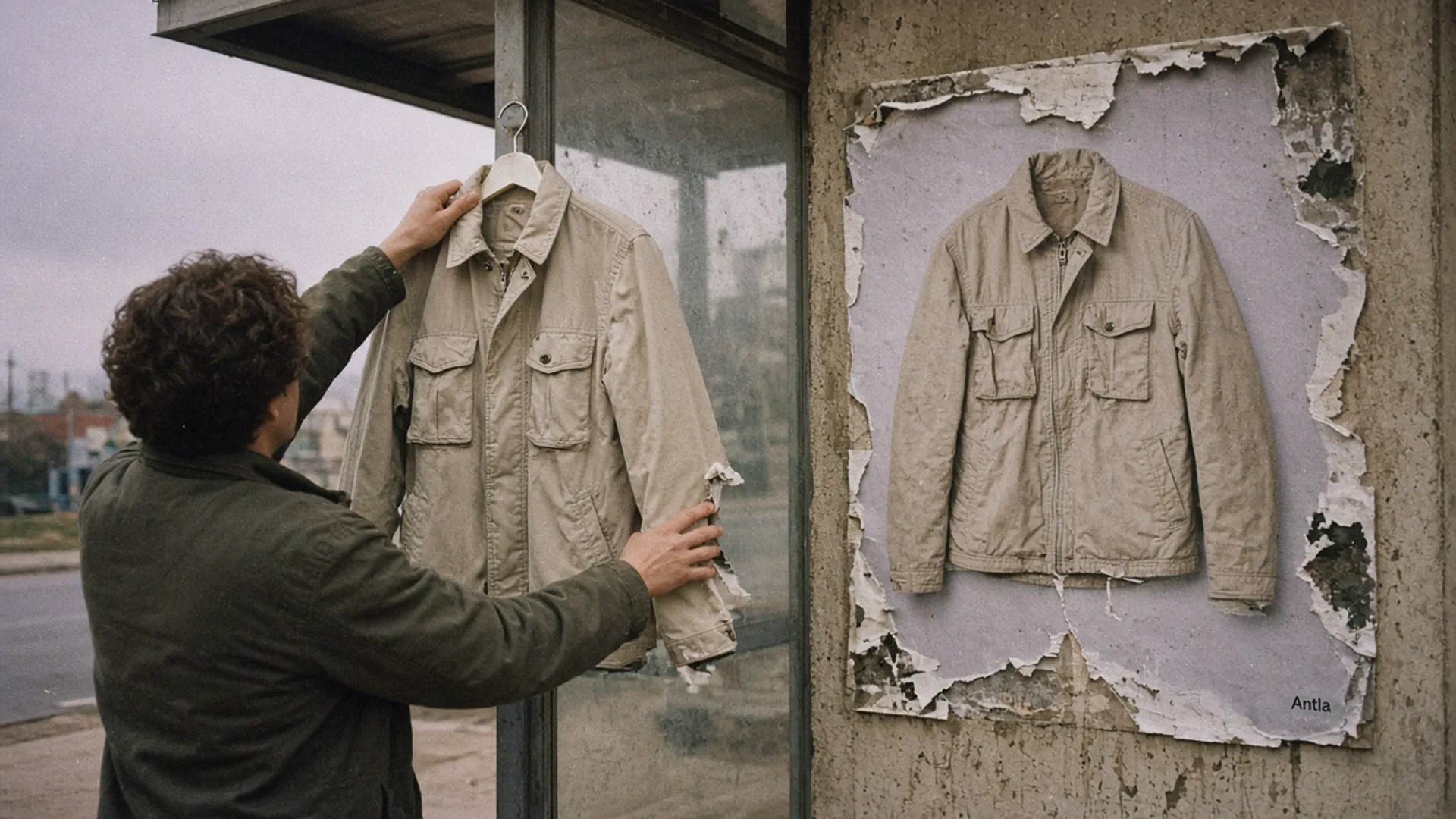
The poster and the hanger should be the same garment. The landing page owes the click that much. Editorial image in Classic Antla disposable-camera style.
The ad is a sand chore coat. The click opens a collection called Outerwear, black variant first, twelve other coats, no upload in sight. The shopper did not fail to convert. The landing page declined the promise. A preview cannot repair a URL that points at the wrong product.
Try-on in paid social, email, and preorders is about the creative you send. Why paid social bounces is about broken promises and slow pages. This is the page in between: the click should arrive on the garment, with a photo upload that continues that same garment, and with the campaign still attached when you count the order.
Match creative and garment
Open the ad and the landing URL on the same phone, inside the app that will run the spend. Put the screenshots side by side. Someone who has never heard of the brand should be able to say they are the same piece and the same color.
| In the ad | On the landing page | If they differ |
|---|---|---|
| One garment | That product URL | Do not “give them the edit” |
| A color | That variant selected | A default color is a different ad |
| A price or an offer | The same price, visible | A surprise markdown, or a surprise full price, both break trust |
| A crop of the cloth | A gallery that includes that view, plus the facts the crop hid | The crop is not the whole product |
| No size claim | A size guide, not a promise that the photo will size them | Appearance is not a fit measurement |
The landing page can be the product page. That is often the whole design. Fashion product pages that convert before you scale ads is the checklist for media order and fit language. If that page is not ready, a try-on module on a campaign URL will import the weakness and add a wait.
Build the URL before the ad is approved. If merchandising swaps the hero color after trafficking, the ad and the variant drift, and every later argument about creative fatigue is actually a link problem.
Design photo upload entry
Ask for a photo after the garment is unmistakable, not before. The first screen shows the sand coat, the price, and the color name. The upload control sits with the gallery, labeled as a way to see the coat on the shopper’s own photo. It does not say “find my size.”
Antla supports that moment on the product: a popup, the product page, or the gallery image. Point the ad at that product. You do not need a second landing-page product to start, and you should not describe a custom upload flow you have not built.
Design rules that keep the upload from becoming the bounce:
- One garment. The generation target is the variant in the ad. If the shopper changes color, the preview should follow the selected variant, or you should say it will not.
- No account first. A login between the click and the coat trains people to leave. Email capture can follow a completed preview if you have a real reason and a real consent line.
- Privacy in the same view as the button. A photo of a person is customer data. Say what you will do with it, link the policy, and read Shopify’s privacy and security notes before you retain images for marketing. “We may use your photo” under a hero is not a disclosure.
- A way out. Skipping the upload still leaves a normal product page: measurements, delivery, reviews, add to cart. The ad did not sign the shopper up for a camera.
- Mobile wait. Generation is not instant. The page they are waiting on should already be the product, so a timeout does not dump them in a empty campaign shell.
On some women’s product pages, merchants have seen conversion among try-on users reach about double the rate of shoppers on those same pages who did not try on (Antla merchant reporting, cohort dates not published). Read that as a reported association on a high-intent subset, with try-on users compared with non-users on those pages. It is not a store-wide conversion rate, and it is not a forecast for the next ad set. People who upload a photo were already willing to work.
The fair test is still offered versus not offered. Show the upload to a random half of campaign clicks. Compare the whole half, including people who never tap it, with the half who saw the ordinary gallery.
Preserve attribution
A preview that strips the campaign off the session will look like a direct visit that happened to buy. You will then “prove” try-on with orders the ad already paid for, or you will miss orders the ad did earn.
Keep the parameters on the final product URL. If a redirect shortens the link, check the address bar after the redirect, on a phone, and confirm the parameters are still there. Test the paid click, not a desktop paste.
Shopify’s page on analyzing marketing campaigns is where you read sessions, conversion rate, and average order value for activities you created, and where you can review conversion data under the attribution models Shopify provides. Pick one model and keep it for the test. Switching models mid-campaign is a new argument, not a new result.
In Meta, compare link clicks with landing page views. A landing page view is counted when the page loads after the click. A wide gap means people left before the coat appeared, which is a speed or browser problem, not a try-on problem. The bounce guide covers that audit. Fix it before you judge the upload.
Name the comparison group in the report title. “Campaign product conversion” is incomplete. “Sand coat, paid social, offered upload versus not offered, same two weeks” is a comparison. Email sessions to the same URL are a useful second column, because those people already know you. If email converts and the ad does not, on the same template, look at the audience and the promise before you blame the button.
First-party data for remarketing matters after the click, not instead of the landing match. A preview event you cannot join back to the campaign is a souvenir. Consent limits what you can join. Say so when the tracked share is thin, rather than filling the gap with a platform’s claimed conversions.
Selling more without raising the ads budget is the margin frame. An attributed order that returns, or that only exists inside one platform’s window, is not incremental contribution.
Measure from click to purchase
Lay the path out as counts, in one campaign, for the offered group and the control group.
| Step | Offered upload | Not offered | What a drop means |
|---|---|---|---|
| Link clicks | The ad’s job, upstream of the page | ||
| Landing page views | Load, in-app browser, or a redirect | ||
| Product views of the advertised variant | The URL pointed at the wrong color or a collection | ||
| Upload starts | n/a in control | Curiosity. Not a success metric alone | |
| Previews completed | n/a in control | The wait and the result were tolerable | |
| Add to cart | The page, the price, or the answer | ||
| Purchases | Checkout, cost, or a later return | ||
| Contribution after the return window | The only number that should change the budget |
Decide on purchases and contribution in the offered group versus the not-offered group, per session that reached the variant. Upload completion is a diagnostic. A beautiful completion rate with no order lift means the preview was interesting and the purchase blocker sits somewhere else: price, size information, delivery.
Do not report try-on-user conversion as the campaign result. That denominator drops everyone who was offered the tool and declined it, which is most of a cold click. Across Antla’s base, completed previews convert at 3.8% of those completers (Antla merchant reporting, cohort dates not published). Useful as a description of people who finish a preview. Useless as the conversion rate of an ad.
Wait for returns. A coat campaign measured on day three will overstate contribution. Keep spend and creative stable while the page test runs, or you will confound the landing change with a new audience.
The page cannot rescue
- An ad for a product you cannot stock in the pictured color.
- A product page that still lacks measurements. The upload will not invent them.
- A redirect that deletes the campaign parameters and then “shows” organic lift.
- A read of completers versus non-completers presented as incremental revenue.
- A test shorter than the return window, if returns are part of the profit story.
Traffic one URL this week
Pick the ad with the most spend. Set its final URL to the exact variant. Confirm on a phone that the color matches and that the campaign parameters survive. Offer the photo upload to half of those sessions, leave the other half on the current gallery, and read the table above after two full weeks. Change the budget only after contribution, with returns, says the offered half earned it.
The preview those sessions can open is the virtual try-on on the product page. The ad’s job is to arrive on that product without losing the thread.
About the author: Aaron checks the landing URL before he checks the new creative.