

Antla on Tapcart: Virtual Try-On Inside Your Brand's Mobile App
Add Antla virtual try-on to your Tapcart mobile app through a product-page custom block. Guide for Shopify fashion brands with app-first shoppers.

Your repeat customers already downloaded your app. They open it during commutes, between meetings, and in bed when mobile web tabs feel like homework. Tapcart gives that audience a native shell around your Shopify catalog. What it does not solve by default is the mirror question on a dress, blazer, or wide-leg jean PDP: will this look good on me?
That hesitation is expensive inside an app session. App shoppers skew loyal, but fashion still returns when fit, drape, and length do not match the model photo. Antla and Tapcart work together here: Tapcart gives you the native app shell; Antla adds AI virtual try-on through a product-page custom block so preview sits at PDP depth, not in a buried web view or a generic marketing screen.
Tapcart merchants with app-first revenue should pair Antla with Tapcart on the PDP, not tuck preview in a buried menu tab. Below: how the integration fits the block model, why app sessions convert differently, and where to go next in this series.
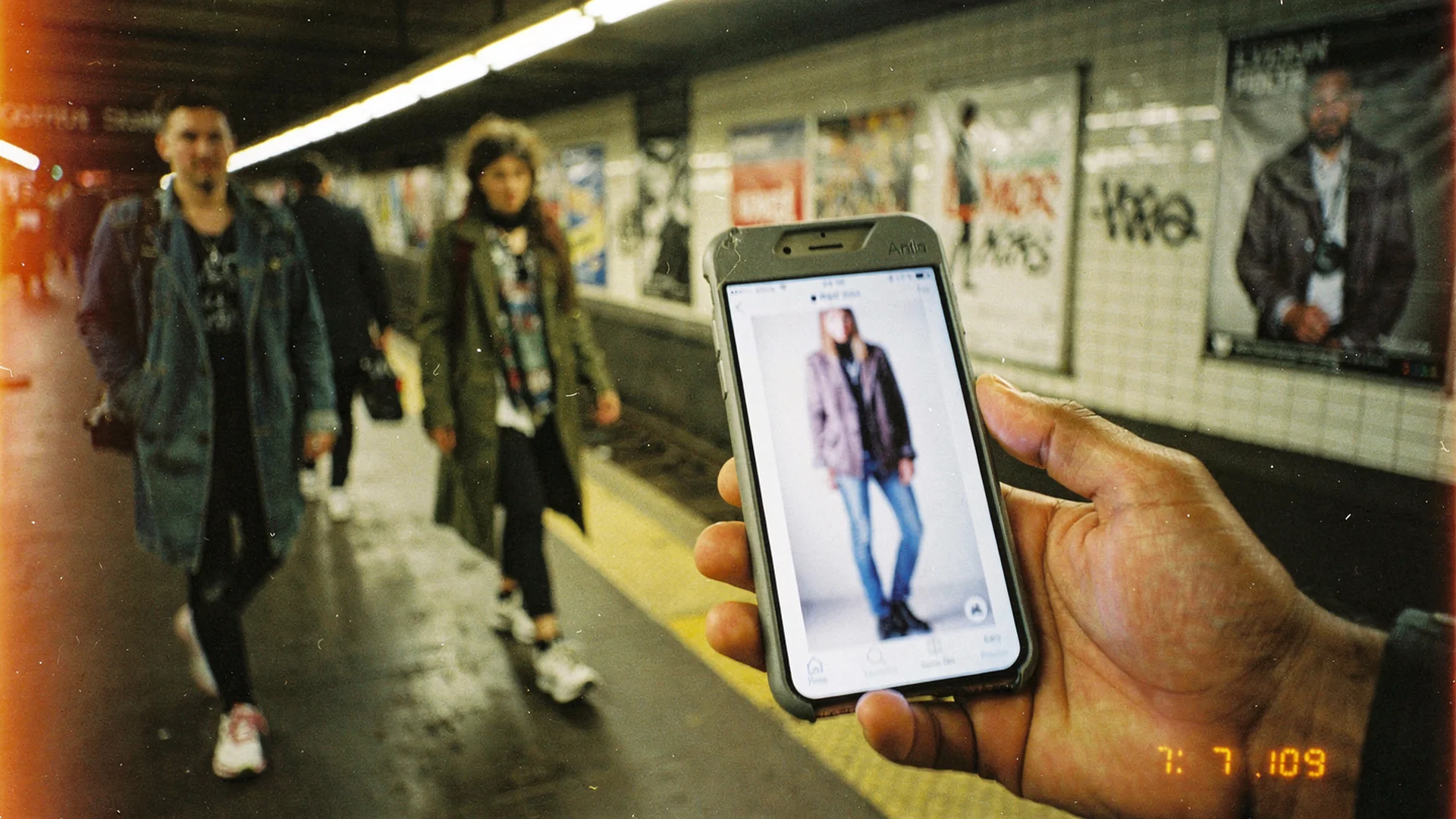
Tapcart puts your catalog in a native shell; Antla adds selfie try-on at product-page depth through a custom block.
Antla + Tapcart on the Product Page
Antla inside your Tapcart app is not a separate download or a Safari sheet that sends shoppers out of your brand experience. Antla renders as a Tapcart custom block on the product page, the same composable pattern Tapcart uses for add-to-cart and personalization fields. Tapcart handles the native shell; Antla handles selfie try-on on the SKU they already opened.
Shoppers stay in your app, on the SKU they already opened from a collection, push notification, or saved wishlist item. They upload a selfie or portrait, generate a preview, and return to variant pickers and checkout without context switching. That continuity matters for fashion, where a broken flow often means a tab switch to Instagram for “outfit inspo” and a lost session.
Shopify’s mobile commerce overview notes that smartphones drive a large share of ecommerce traffic while mobile conversion still trails desktop. Native apps are where many brands close that gap for repeat buyers. Try-on belongs in that high-intent path, not only on responsive web PDPs you already optimized.
Antla + Tapcart in one sentence: Your Shopify catalog in Tapcart, with Antla try-on embedded on the PDP through a custom block your team places in App Studio.
Why Product-Page Depth Beats A Generic Try-On Tab
Fashion visualization fails when it lives too far from the buy decision. A standalone “Try On” tab in the app menu gets novelty clicks and little revenue attribution. A block placed under primary product imagery on the PDP catches shoppers at the moment they are comparing fabric, length, and color variants.
Product-specific variables still drive returns even in loyal app audiences:
- Rise and inseam on trousers and denim
- Shoulder drop and sleeve length on outerwear
- Drape and cling on knit dresses and bodycon silhouettes
- Coverage and neckline on occasion wear
- Layering bulk when a shopper imagines the piece under a coat
Flat lay photography rarely answers those questions for bodies that are not the campaign model. Try-on at PDP depth gives app shoppers a personal anchor before they tap Apple Pay.
Merchants using Antla report that shoppers who engage with try-on convert at roughly 35% higher rates on average. Engagement on product pages rises to about two to three times longer when try-on is available. Returns can fall by up to 30% when preview closes the main expectation gap before checkout. Rotate how you measure those outcomes, but the pattern holds across web and app when placement is honest and mobile upload UX is clean.
How Antla Fits The Tapcart Block Model
Tapcart blocks are React modules merchants compose on screens in App Studio. Tapcart’s blocks documentation describes local development with the CLI, manifest configuration, and publishing live blocks back to the dashboard. Antla’s Tapcart integration follows that pattern: a product-page block wired to your Shopify catalog and Antla generation endpoints.
You are not rebuilding checkout or variant logic. Tapcart still handles cart actions, customer session, and native navigation. Antla handles photo upload, model selection between Antla Fos and Antla Pro, and rendering try-on output as part of the PDP story.
What that means in App Studio:
- Placement control: Merchandisers choose block order on the PDP template, typically near hero imagery and above reviews.
- Variant awareness: The block should respect the variant the shopper selected so color and style stay coherent.
- Theme independence: Tapcart apps are not Shopify theme files; the block travels with your app layout, not your Dawn or Prestige custom Liquid.
- Enterprise path: Tapcart CLI access sits on Tapcart Enterprise plans; coordinate with your Tapcart rep if CLI workflows are new to your team.
Implementation detail lives in Antla docs and the Antla on Tapcart setup guide for fashion. This overview stays strategic; the setup guide is tactical.
Mobile App Sessions Are Different From Mobile Web
Your web PDP playbook will mislead you here. App shoppers often arrive with higher intent, saved payment methods, and push-driven urgency. They also expect camera access and smooth permissions because the channel is native.
Try-on in native apps should behave differently:
- Camera-first upload with clear privacy copy beats gallery-only flows that feel like desktop forms shrunk down.
- Sticky add-to-cart should remain visible after a successful generation so confidence converts immediately.
- Session persistence helps repeat try-ons; Antla image caching loads prior uploads when cookies allow, shortening second previews on new SKUs.
Compare channels explicitly in mobile app vs mobile web virtual try-on for fashion. Psychology and loyalty mechanics are in why app customers convert higher with virtual try-on. Lifecycle tactics, including push, are in push notifications and virtual try-on for fashion apps.
Related reads beyond Tapcart
Tapcart and Antla stack on top of Shopify; neither replaces your PDP work on web. Link outward when the question is bigger than app layout:
Shopify virtual try-on and PDP depth:
- Shopify PDP conversion optimization for fashion
- Virtual try-on reduces returns before checkout
- Product page engagement and conversion quality
Virtual try-on on Shopify:
Growing a fashion brand online:
Email and simulation commerce:
Web and email still matter. App try-on should match the preview promise you make in lifecycle messages, or you recreate the expectation gap inside your most loyal channel.
Evaluation Checklist Before You Roll Out Storewide
Use this mini-audit on five hero SKUs before you enable try-on across the catalog.
| Checkpoint | Pass criteria |
|---|---|
| Block placement | Try-on sits near primary imagery, not below three screens of reviews |
| Variant sync | Color changes update the correct render asset |
| Upload privacy | Terms toggle and policy link match your web PDP if required |
| Generation speed | Fos vs Pro choice documented for merchandising team |
| Analytics | You can compare try-on users vs non-users in Antla feed |
| Returns baseline | You know top return reasons for the test SKUs |
Baymard’s apparel research treats PDP clarity as a system. Try-on is one layer alongside measurements, fit notes, and honest photography. Google helpful content guidance applies to app landing pages too: satisfy intent with specifics, not generic “mobile commerce tips.”
Guides in this series
Every article below links back here as the overview.
- Antla on Tapcart setup guide for fashion , block install, App Studio placement, QA
- Mobile app vs mobile web virtual try-on for fashion , channel comparison for merchants running both
- Why app customers convert higher with virtual try-on , loyalty, intent, and session psychology
- Push notifications and virtual try-on for fashion apps , re-engagement flows that deep link to try-on PDPs
Merchant Action Plan: First Two Weeks
Week 1: Prove the block on hero SKUs
Install Antla from the Shopify App Store if it is not live yet. Coordinate with Tapcart on the product-page custom block for three to five high-hesitation products: wide-leg denim, structured blazers, satin midi dresses, or any SKU with fit-related returns in your support inbox.
Week 2: Measure cohorts, not vanity taps
Compare add-to-cart and purchase rate for try-on users vs everyone else on those SKUs inside the app. Watch try-on feed for volume spikes that indicate merchandising opportunities. If push is part of your stack, plan one message that deep links to a try-on-enabled PDP, covered in the push notification guide.
Fashion brands with both web and app should keep web PDP try-on aligned so customers who switch channels see the same promise. Cannibalization fear is overblown when the alternative is inconsistent preview.
Frequently Asked Questions
How does Antla work with Tapcart?
Antla runs inside Tapcart as a product-page custom block. Shoppers upload a photo on the PDP, generate a try-on preview, and continue to variant selection and checkout without leaving your app. Configure the block in Tapcart App Studio and connect Antla to your Shopify catalog through the Antla app.
Do I need Tapcart Enterprise for Antla try-on?
Custom blocks and Tapcart CLI workflows require Tapcart Enterprise. Confirm your plan with Tapcart before scoping development. Antla installation on Shopify is separate and available through the Shopify App Store.
Is Antla try-on in Tapcart different from web try-on?
The generation layer is the same Antla try-on on Shopify. Tapcart adds a native app PDP block, session behavior, and lifecycle tactics like push deep links. Most merchants run Antla on web and in Tapcart together and keep messaging consistent.
Which products should get try-on in the app first?
Start with SKUs where fit, length, drape, or coverage drive returns and support questions. Expand after you measure try-on engagement, conversion lift, and return changes on those hero products.
Where do I find technical setup steps?
Read our Tapcart setup guide, Antla docs at antla.io/docs, and Tapcart block documentation at dev.tapcart.com. Your Tapcart implementation partner can assist with block placement in App Studio.
Continue with Shopify virtual try-on
When app placement is live, borrow measurement habits from our Shopify virtual try-on guides:
- Shopify PDP conversion optimization for fashion
- Virtual try-on reduces returns before checkout
- Virtual try-on feature overview
About the author: Aaron is the founder of Antla. After years of frustrating returns, never looking like the supermodels on product pages, he set out to make fashion personal by helping shoppers see themselves in the outfits they want to buy. He sees native app sessions as the highest-intent place to answer the mirror question before checkout.
Running Tapcart for your Shopify fashion brand? Install Antla on Shopify, add the product-page custom block in Tapcart, and read the setup guide to go live on hero SKUs first.