

Hoop vs Stud Earring Preview on Shopify (Comparison Guide)
Hoop vs stud earring preview on Shopify: diameter scale, face balance, daily wear vs statement, and Antla Accessories funnel rollout for mixed earring catalogs.

Hoops and studs are both earrings. On a Shopify PDP, they behave like different products psychologically. Stud shoppers fear invisibility or unexpected sparkle. Hoop shoppers fear cartoon scale or office-inappropriate drama. The same virtual try-on button must answer different questions depending on category.
This comparison guide is for Shopify jewelry merchants who sell both hoops and studs and want to configure Antla Accessories funnel, write accurate invite copy, and prioritize SKUs where preview moves conversion and returns most.
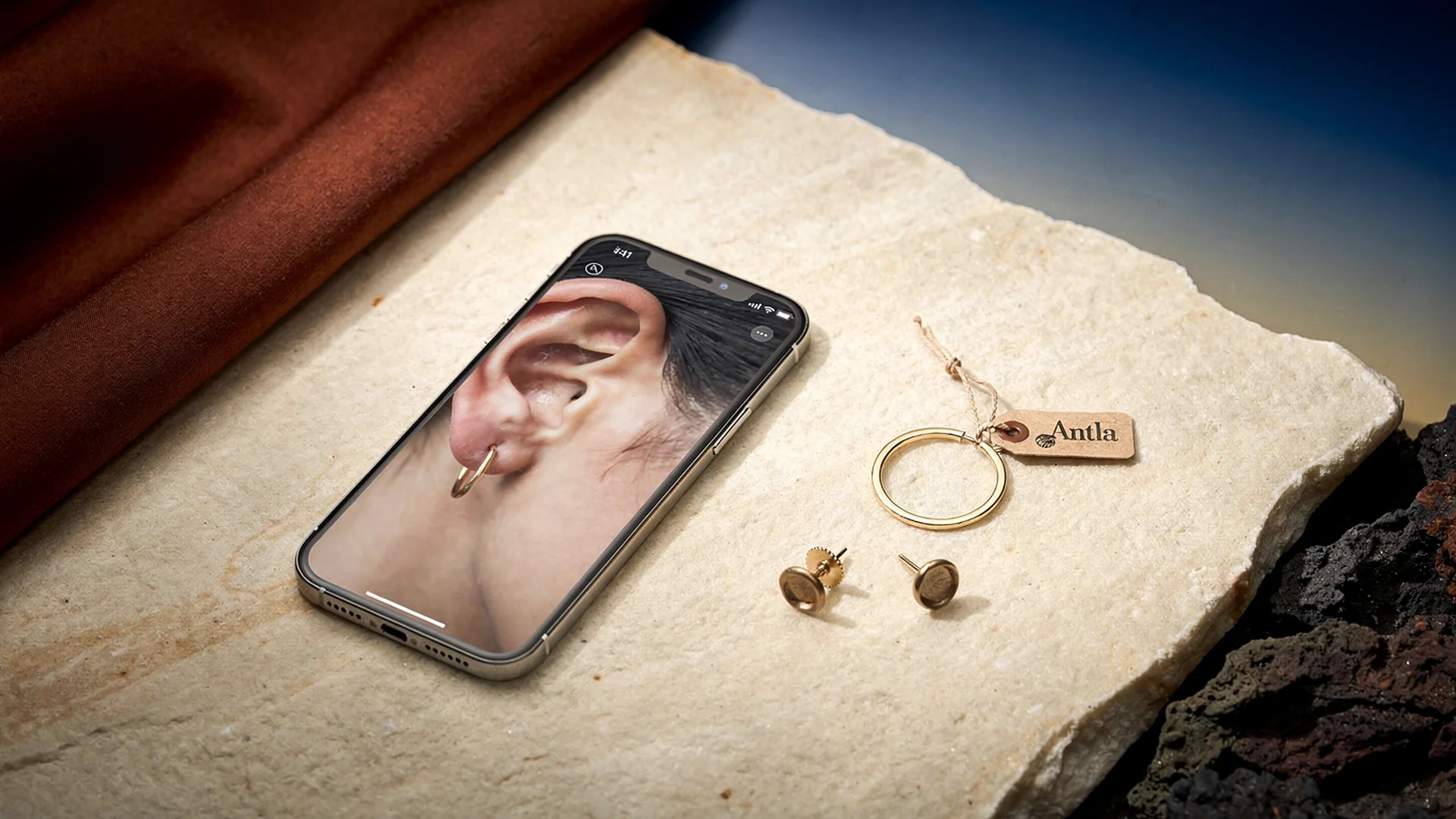
Hoops and studs fail for different reasons; preview on the shopper’s face resolves scale and balance questions studio shots cannot.
Studs: The Scale Of Subtlety
Stud earrings win on versatility. They also generate quiet returns when shoppers expected a whisper and received a shout, or expected presence and received a pinprick of metal.
Stud hesitation patterns:
- Diameter confusion: 4mm vs 6mm vs 8mm reads abstract until worn
- Stone face-up size: Carat weight does not equal visible diameter
- Daily wear fit: Will this still feel like me in six months?
- Piercing context: Second and third holes change perceived scale
Millimeter callouts in bullets help power buyers. Mainstream shoppers still simulate the mirror poorly. Virtual try-on renders the stud on the uploaded ear so scale becomes visceral.
Disclaimer: Preview shows look and placement. Post type, backing, and gauge remain in specs.
Hoops: Diameter, Balance, And Occasion
Hoops introduce arc and negative space around the face. Diameter in millimeters or inches is accurate and insufficient. A 30mm hoop on a short hairstyle reads differently than on long curls. A thick tube hoop carries more visual mass than a thin wire at the same diameter.
Hoop hesitation patterns:
- Face width fear: Will these make my face look wider?
- Occasion mismatch: Too casual for events or too loud for work
- Hair interference: Hoops catching hair or hiding behind layers
- Weight and comfort: Large hoops look right in preview but need spec weight for comfort
Try-on answers the look and balance question before checkout. It does not simulate weight or hinge friction. Keep comfort specs adjacent to the try-on entry point.
Deep category context: virtual try-on for earrings on Shopify and why shoppers want to see earrings on themselves.
Side-By-Side: What Preview Proves For Each Style
| Question | Stud preview value | Hoop preview value |
|---|---|---|
| Scale on my ear | High | High |
| Face balance | Moderate | Very high |
| Metal tone on skin | High | High |
| Office appropriateness | Moderate | High |
| Stack with other piercings | Moderate | Moderate |
Both styles benefit from selfie upload. Hoops skew higher on balance and occasion anxiety. Studs skew higher on invisible-vs-visible scale errors.
PDP Architecture For Mixed Catalogs
Stores selling both styles should avoid one generic try-on label.
Stud PDP copy examples:
- “See how this stud size looks on your ear.”
- “Preview scale before you choose carat weight.”
Hoop PDP copy examples:
- “Preview hoop diameter on your face before you order.”
- “Check balance with your hairstyle in one photo.”
Place try-on near the gallery on mobile. Link to dimension tables below the fold for buyers who want numbers after visual confirmation.
Baymard accessories guidance supports rich imagery above the fold. Try-on extends that zone interactively.
Variant And SKU Mapping
Hoops often vary by diameter and tube thickness. Studs vary by stone size and metal. Each variant with materially different visible scale needs a mapped render asset in Antla Accessories funnel.
Failure modes:
- Shopper selects 40mm hoop preview but cart contains 50mm SKU
- Rose gold render shown for yellow gold variant
- Pair vs single SKU mismatch on ear cuff listings
QA variant pickers after enabling try-on. Document mapping in internal runbooks for setup Antla jewelry try-on.
Metrics: Hoops vs Studs
Antla cohort data across jewelry merchants often shows:
- Higher try-on start rates on hoops where diameter anxiety dominates
- Higher conversion lift on statement studs where unexpected stone size drove returns
- 2-3x longer PDP sessions when shoppers toggle between two variants after preview
- Up to 30% return reduction when look mismatch was the top reason code
Segment your own data by style family before prioritizing expansion.
Merchandising Strategies
Collection pages: Tag “preview recommended” on high-diameter hoops and large-face studs.
Bundles: Offer ear stacks with link to stackable jewelry virtual try-on.
Email segmentation: Stud abandoners get scale copy. Hoop abandoners get balance copy.
Paid search: Match landing PDPs with try-on enabled for high-intent “hoop size” queries.
Shopify fashion ecommerce trends favor experiential PDP tools for differentiation.
Returns And Support Playbooks
Train support to link try-on when tickets include:
- “Will 25mm hoops suit me?”
- “Is this stud too small for everyday?”
Connect returns strategy to virtual try-on reduces returns before checkout and jewelry returns and virtual try-on.
Vendor Evaluation Bridge
Fashion merchants comparing apps should read best virtual try-on for Shopify fashion and AI virtual try-on in ecommerce. Jewelry-specific hub: virtual try-on for jewelry on Shopify.
Rollout Priority Recommendation
If you must choose one family first:
- Hoops with diameter spread and elevated look-related returns
- Statement studs with gemstone face-up size sensitivity
- Simple micro studs last, unless returns contradict
Start with five SKUs per family maximum. Measure four weeks. Expand using jewelry try-on rollout plan.
Common Comparison Mistakes
One render for all diameters. Breaks trust instantly.
Ignoring hairstyle in marketing copy. Hoops interact with hair more than studs.
Treating preview as size chart. Rings need charts; earrings need scale on face.
Storewide launch. Hero testing beats big-bang releases.
Seasonal Merchandising For Hoops And Studs
Holiday and wedding seasons spike earring traffic with different intent profiles. Stud gift buyers fear invisible scale. Hoop party shoppers fear overdrama. Segment PDP invite copy by collection tags so preview messaging matches intent.
Prom collections can headline “preview before the event” with try-on above variant pickers. Everyday stud collections can headline “see the size on your ear” with millimeter tables directly below preview completion.
Merchants running both families on one storefront should A/B test copy separately. Antla cohort reporting makes that feasible without theme changes. Connect seasonal strategy to jewelry try-on for Instagram and email when you extend preview into campaigns after PDP proof.
Frequently Asked Questions
Should I enable try-on for hoops or studs first?
Prioritize whichever family drives more look-related returns or support questions. Hoops often see higher preview demand due to diameter balance. Statement studs benefit when stone size surprises drive exchanges.
Does hoop preview show diameter accurately?
Preview renders the selected SKU on your uploaded photo so you can judge scale and balance. Confirm variant mapping so the diameter you preview matches the SKU you add to cart.
Are stud and hoop try-on the same technology?
Both use Antla Accessories funnel with category-aware ear placement. PDP copy and variant mapping should differ because shoppers ask different questions for studs vs hoops.
Can shoppers compare hoop and stud in one session?
Shoppers typically preview one PDP at a time. Merchandise comparison collections with clear links so they can preview each style on the same photo across visits.
Where To Go Next
- Virtual try-on for earrings on Shopify
- Why shoppers want earring preview
- Jewelry virtual try-on hub
- Stackable jewelry virtual try-on
- Antla virtual try-on features
About the author: Aaron is the founder of Antla. After years of frustrating returns and jewelry that never looked right on product pages, he built Antla Accessories so shoppers can preview earrings, rings, and bracelets on themselves before checkout on Shopify.
Sell both hoops and studs? Enable Antla on Shopify and read virtual try-on for earrings for category rollout steps.