

Virtual Try-On for Earrings on Shopify (2026 Guide)
Virtual try-on for earrings on Shopify: studs, hoops, drops, Antla Accessories funnel, PDP placement, metrics, and rollout checklist for jewelry merchants.

Earring PDPs on Shopify compete on photography, reviews, and millimeter dimensions. Those assets answer what the product is. They weakly answer the question that actually closes or kills the sale: how do these look on my ears, with my hair, against my skin tone, at the scale I imagine?
Virtual try-on for earrings on Shopify closes that gap. Antla Accessories funnel lets shoppers upload a selfie and preview studs, hoops, drops, huggies, and climbers rendered on their ears before checkout. That is visual confidence, not a substitute for post type, gauge, weight, or hypoallergenic material callouts.
This guide is for Shopify jewelry merchants who sell earrings across fine, demi-fine, and fashion categories and want a practical evaluation and rollout path tied to conversion and returns.
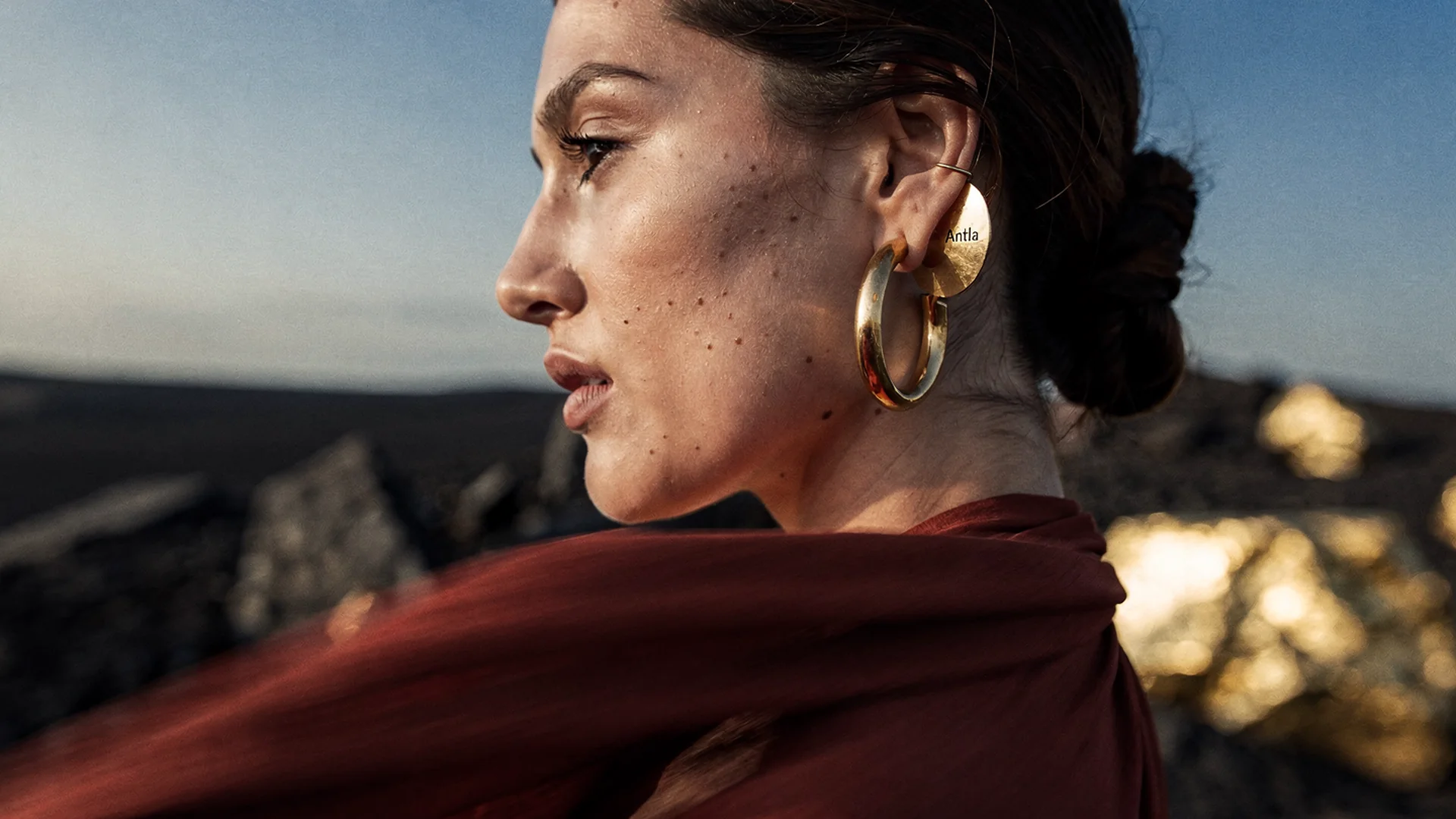
Earring conversion improves when shoppers preview scale and placement on their own photo instead of guessing from studio models.
Why Earring PDPs Need Preview Beyond Photography
Earrings combine high visibility with high subjectivity. A 12mm hoop reads delicate on one face and dramatic on another. A 6mm stud disappears on some lobes and looks perfect on others. Catalog photography standardizes lighting and model features. Shoppers compare against their own mirror memory and doubt the match.
Common hesitation patterns:
- Scale mismatch: “Looked smaller or larger than expected” dominates return notes
- Style regret: Statement pieces feel wrong for daily wear after arrival
- Metal tone surprise: Gold and rose gold render differently on skin than in studio shots
- Asymmetry worry: Single cuffs, mismatched pairs, and multi-piercing stacks add complexity
Shopify conversion benchmarks remind merchants that PDP hesitation is expensive. Earrings concentrate that hesitation because the purchase is worn on the most visible real estate on the head.
Disclaimer: Virtual try-on shows look, scale, and placement on the shopper’s photo. Post length, backing type, and material specs still require your product details and the buyer’s verification.
Antla Accessories Funnel For Earring Catalogs
Fashion dress try-on assumes a torso mesh. Earring try-on assumes ear placement, head angle, hair occlusion, and fine detail at small pixel scale.
Antla Accessories funnel maps your SKU render onto the shopper’s upload with category-aware placement. Workflow:
- Shopper lands on earring PDP from search, social, or email
- Reviews studio gallery and dimensions
- Taps try-on, uploads a clear face photo
- Previews the earring on their ears
- Adds to cart with clearer aesthetic expectations
Install through Antla on Shopify. Place the entry point near primary imagery on mobile, where most earring browsing happens.
Psychology behind hesitation lives in why shoppers want to see earrings on themselves. Hoop vs stud nuances appear in hoop vs stud earring preview.
What To Demand In A Shopify Earring Try-On Tool
Before you install from the Shopify App Store, score vendors against earring-specific reality.
Must-have:
- Mobile selfie upload with clear privacy copy
- Placement that respects ear angle, not a flat sticker overlay
- Variant linkage so metal and size match the selected SKU
- Shopify theme placement without Liquid surgery
- Cohort analytics comparing try-on users vs non-users on conversion and returns
Nice-to-have:
- Support for single-ear SKUs and pairs
- Higher-fidelity rendering for pavé and texture (Antla Pro AI tier for detail-heavy pieces)
- Try-on analytics feed for merchandising
Red flags:
- Apparel-only try-on with no accessories path
- Demos using perfect studio portraits only
- No merchant reviews or thin App Store listing
- Session pricing with no tie to order quality metrics
Return to the jewelry virtual try-on hub for cross-category evaluation lenses.
Implementation Checklist For Earring Merchants
Rollout should feel like merchandising, not an IT project.
Week 1: Pick hero SKUs
Choose five earrings with:
- High traffic but moderate conversion
- Elevated return rates tied to scale or look reasons
- Visual differentiation in diameter, drop length, or stone size
Export return reasons for the last 90 days. Group “too big,” “too small,” and “not as pictured” separately. Visualization targets the first two buckets aggressively.
Week 2: Configure Accessories funnel
Install Antla and enable try-on on test products. Map each hero earring to the correct render asset. Confirm variant pickers for metal and size still work after try-on placement.
Follow setup Antla jewelry try-on on Shopify for detailed steps. Fashion merchants use a parallel sequence in how to add virtual try-on to Shopify.
Week 3: PDP copy and disclaimers
Add plain-language invite copy:
- “Upload a photo to see these on your ears before you order.”
- “Preview shows look and scale. Check post type and materials in specs below.”
Pair visualization with dimension callouts, not instead of them. Jewelry photography vs AI try-on explains how renders complement macro photography.
Week 4: Measure cohorts
Track try-on start rate, completion rate, add-to-cart after try-on, conversion compare, and return reason shifts. Shopify PDP conversion optimization helps separate useful dwell time from friction.
Metrics Earring Stores Actually See
Antla merchant data across categories shows strong signals when visualization addresses dominant hesitation:
- Shoppers who use try-on convert about 35% higher on average than those who do not
- Try-on sessions run 2-3x longer on PDPs, indicating real evaluation
- Returns can drop as much as 30% when the main gap was visual expectation
Your store should prove its own lift before storewide rollout. Use hero SKUs with documented hypotheses.
Connect returns math to jewelry returns and virtual try-on and virtual try-on reduces returns before checkout.
Category Subtypes: Studs, Hoops, Drops, And More
Studs: Scale relative to lobe and hairstyle is the main question. Preview beats coin comparisons for most shoppers.
Hoops: Diameter and face balance drive hesitation. See hoop vs stud earring preview.
Drops and chandeliers: Length relative to necklines matters. Cross-link virtual try-on for necklaces when shoppers bundle sets.
Huggies and climbers: Subtle scale errors feel like product defects. Preview reduces one-star reviews about size.
Ear cuffs and singles: Asymmetry questions spike in support chat. Try-on deflects “will this look odd?” tickets.
Merchandising And Marketing Uses
Earring try-on is not only a PDP widget.
- Email: Abandon flows deep-linking to try-on on saved earrings
- Paid social: “See on you” creative for consideration campaigns
- Support: Agents link try-on when shoppers ask about face scale
- Merchandising: High try-on starts with low conversion may need better dimension copy
AI virtual try-on in ecommerce covers cross-channel patterns from fashion that apply to earrings.
Common Earring Try-On Mistakes
Hiding try-on below the fold on mobile. Most earring research happens on the phone.
Launching every SKU at once. You will not know what broke or what worked.
Ignoring variant-to-render mapping. Rose gold and yellow gold need distinct assets when finishes differ materially.
Skipping theme QA on sticky add-to-cart. Jewelry themes love sticky buy boxes. Confirm they still work.
Implying material certification from a render. Hypoallergenic claims stay in specs.
Neighbor Guides In This Cluster
- Why shoppers want earring preview
- Hoop vs stud preview
- Virtual try-on for rings
- Jewelry virtual try-on hub
Fashion cluster bridge: best virtual try-on for Shopify fashion for vendor evaluation habits that transfer to earrings.
Frequently Asked Questions
What is virtual try-on for earrings on Shopify?
It lets shoppers upload a photo and preview earrings rendered on their ears before checkout. Antla Accessories funnel provides this for Shopify jewelry stores. Preview shows look and scale; post type and materials still belong in product specs.
Which earrings should get try-on first?
Start with five to ten hero SKUs with high traffic, moderate conversion, and returns tied to scale or look. Hoops and statement drops often benefit first. Expand after measuring try-on cohorts.
Does earring try-on work on mobile?
Yes. Most earring shopping is mobile. Place try-on near primary imagery and test selfie upload flow on iOS and Android before storewide launch.
How does earring try-on affect returns?
When returns stem from size or look mismatches, preview before checkout can reduce those orders. Antla merchants report up to 30% return reduction when visualization closes the main expectation gap.
Where To Go Next
- Jewelry virtual try-on hub
- Setup Antla jewelry try-on
- Jewelry returns and virtual try-on
- Virtual try-on reduces returns before checkout
- Antla on Shopify App Store
About the author: Aaron is the founder of Antla. After years of frustrating returns and jewelry that never looked right on product pages, he built Antla Accessories so shoppers can preview earrings, rings, and bracelets on themselves before checkout on Shopify.
Launch earring try-on on hero SKUs. Install Antla on Shopify and review the jewelry virtual try-on hub for the full framework.