

Virtual Try-On for Jewelry on Shopify (2026 Guide)
Shopify jewelry virtual try-on hub for earrings, rings, necklaces, and bracelets with Antla Accessories funnel, evaluation framework, and spoke guides.

If you sell jewelry on Shopify, your product page faces a visualization gap that flat lay photography rarely closes. The shopper has a specific face shape, skin tone, neck line, and wrist width. Your hero image shows the piece on a model who may look nothing like them. That distance is where hesitation lives, and where high-AOV carts stall without a preview step.
Virtual try-on for jewelry on Shopify closes part of that gap. With Antla Accessories funnel, shoppers upload a photo and see earrings, rings, bracelets, or necklaces rendered on themselves before checkout. That is not a replacement for ring size charts, metal allergy notes, or chain length specs. It is the visual confidence layer those assets cannot provide on their own.
This hub is for Shopify merchants selling fine jewelry, demi-fine, fashion jewelry, and personalized pieces. It explains why jewelry is one of the strongest virtual try-on use cases, offers an evaluation framework, links to category guides in this cluster, and connects to broader fashion virtual try-on and returns playbooks where the logic transfers.
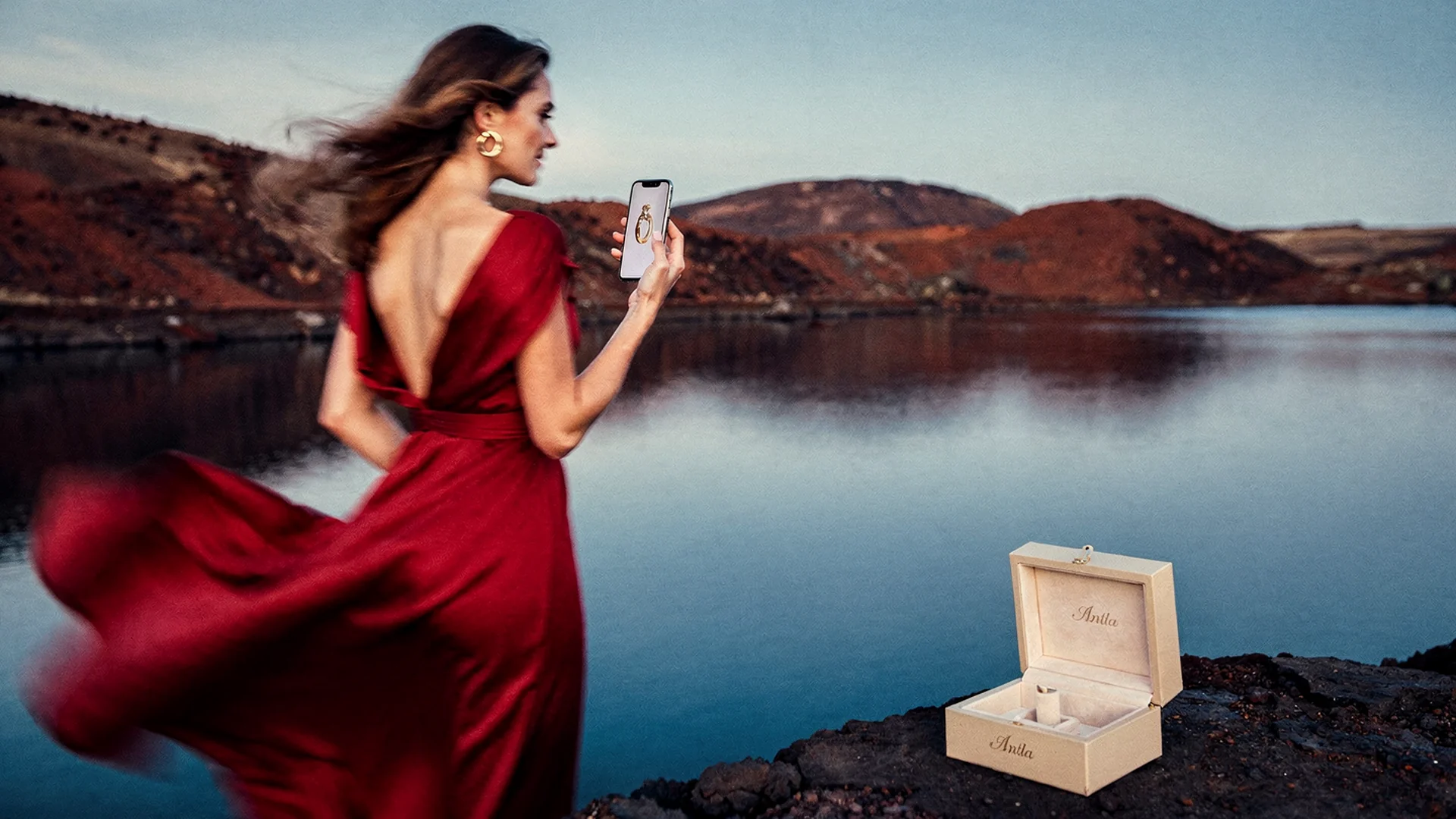
Jewelry sales convert when shoppers judge scale, metal tone, and placement on their own photo, not only on a studio model.
Why Jewelry Is A Perfect Virtual Try-On Category
Jewelry purchases are small in shipping weight but large in emotional stakes. Shoppers worry about scale, proportion, metal tone against skin, and whether a statement piece suits their daily life or only a special occasion. Catalog photography answers what the product is. Virtual try-on answers what it looks like on me.
Jewelry hesitation follows predictable patterns:
- Scale anxiety: Will these hoops overwhelm my face or disappear?
- Metal and stone tone: Does this gold read warm or cool against my skin?
- Placement context: Where does this pendant sit on my neckline?
- Occasion fit: Is this too dressy for office wear or too casual for events?
- Stack and layer risk: Will this bracelet fight my watch or other bangles?
Baymard’s apparel and accessories research treats product pages as decision systems. For jewelry, visualization belongs in that system when look and proportion drive the order more than spec rows alone.
Important disclaimer: Virtual try-on shows look, scale, and placement on the shopper’s photo. Ring sizing still requires your published size chart, printable sizer, or in-store fitting guidance where applicable. Treat try-on as the aesthetic layer, not a replacement for circumference measurement.
Antla Accessories Funnel: Built For Jewelry Catalogs
Apparel try-on assumes garments on a torso. Jewelry try-on assumes ears, fingers, neck, and wrist with fine detail at small scale.
Antla Accessories funnel handles that context. Shoppers upload a selfie or portrait. Your SKU renders onto the correct placement so they can judge proportion, metal tone, and visibility before add-to-cart. You configure the funnel per product or product type without rebuilding your Shopify theme.
That workflow matters because many visualization tools were built for dresses or generic AR demos. Jewelry merchants need:
- Face and hand photo upload with mobile-friendly UX
- Category-specific rendering for studs, hoops, rings, pendants, chains, and bangles
- Shopify-native install through the Antla app
- No-code PDP placement you can test on five hero SKUs first
- Cohort analytics separating try-on users from everyone else
Merchants using Antla report that shoppers who engage with try-on convert at roughly 35% higher rates on average. Try-on sessions also run two to three times longer on product pages, which is useful signal when you are deciding whether scale uncertainty was the blocker.
On returns, Antla customers have seen reductions up to 30% when try-on closes the main expectation gap before checkout. That mirrors the pre-purchase logic in how virtual try-on reduces returns before checkout, applied to jewelry where “looked different on me” shows up in support tickets.
Evaluation Framework: Five Lenses For Jewelry Stores
Use these lenses when you compare visualization options. They map to spoke guides in this cluster and to cross-cluster depth on implementation and returns.
| Lens | Question | Deep dive |
|---|---|---|
| Category fit | Does it handle my jewelry type realistically? | Earrings guide, rings, necklaces, bracelets |
| Shopper psychology | Why do buyers hesitate without preview? | Why shoppers want to see earrings on themselves, hoop vs stud preview |
| Look vs fit | What does try-on prove vs size charts? | Ring preview vs ring size, necklace length and layering |
| Merchandising | How do stacks and layers preview? | Stackable jewelry try-on |
| Operations | Setup, returns, rollout, proof | Setup guide, returns spoke, rollout plan |
Bridge from our core virtual try-on cluster: best virtual try-on for Shopify fashion explains the vendor evaluation mindset. AI virtual try-on in ecommerce covers how the technology layer works across verticals including accessories.
Category Priorities: Where To Roll Out First
Not every SKU needs Accessories funnel on day one. Prioritize pieces where visual expectation drives returns, exchanges, and pre-purchase chat volume.
High priority:
- Statement earrings and hoops where face proportion drives confidence
- Rings with visible stone size where carat perception matters on the hand
- Necklaces and pendants where length and neckline interaction is subjective
- Stackable bracelets and bangles where wrist clutter is a real concern
Medium priority:
- Simple studs with moderate scale questions
- Thin chains where length specs exist but drape is hard to imagine
- Personalized pieces where preview reduces “will the engraving placement look right?” anxiety
Lower priority:
- Replacement clasps, backs, and repair-only SKUs
- Gift cards and non-visual products
- Items where sizing is purely numeric and photography already matches scale
Start with five to ten hero SKUs, measure try-on engagement against add-to-cart and returns, then expand. Shopify PDP conversion optimization defines healthy engagement patterns even for jewelry catalogs.
Try-On Versus The Rest Of Your Jewelry PDP
Visualization is not a replacement for metal type callouts, care instructions, or honest macro photography. It is the personal anchor those assets lack.
If your size chart says “measure knuckle circumference” but your gallery only shows the ring on a long-fingered hand model, try-on still helps but works harder. Pair Accessories funnel with size guidance, not instead of it.
Photography sets the catalog standard. Try-on answers the mirror question: “How will this look on me today?” Our spoke jewelry photography vs AI try-on explains how both layers cooperate. The fashion parallel lives in product photography vs AI virtual try-on.
For PDP structure beyond visualization, lean on Shopify fashion ecommerce guidance and conversion benchmarks from Shopify’s conversion blog. The framing still applies: reduce hesitation at the buy box.
Returns Context For Jewelry Merchants
Jewelry returns hurt through restocking, re-polishing, lost packaging, and exchange friction on sized items. Shopify’s enterprise returns overview applies to jewelry merchants facing the same structural pressure as apparel, often with higher emotional stakes per order.
Try-on targets the cheapest return to process: the one prevented before checkout. Our spoke jewelry returns and virtual try-on models ROI with conversion and return cohorts, not vanity session counts.
Connect that math to virtual try-on reduces returns before checkout for the cross-category framework.
Red Flags When Comparing Jewelry Visualization Vendors
Walk away from tools that cannot explain merchant outcomes, hide Shopify compatibility, or treat an earring like a t-shirt overlay.
Warning signs include:
- Demo-only experiences with no Shopify App Store listing
- Setup that requires custom theme surgery for every template
- No cohort reporting on try-on users vs non-users
- Generic AR that ignores ear angle, neck line, or finger perspective
- Pricing that scales on sessions without tying to business results
- No clear disclaimer that visual try-on does not replace ring sizing
Google’s helpful content guidance applies here: pages should satisfy intent with specifics. Product structured data documentation reminds merchants that rich PDP assets still need accurate offers and variant data underneath visualization.
Technical And Theme Considerations
Before you roll out storewide, confirm theme behavior on mobile collection-to-PDP flows. Jewelry themes often use variant pickers for metal, stone, and length.
Test:
- Variant changes updating the correct render asset
- Add-to-cart and dynamic checkout after a try-on session
- Sticky buy boxes and size chart tabs still functioning
- Upload flow feeling private and clear about image use
How to add virtual try-on to Shopify walks the rollout sequence for merchants coming from our fashion cluster. Antla supports all Shopify themes through no-code setup. Deep implementation steps live in setup Antla jewelry try-on on Shopify and Antla Accessories funnel explained.
Spoke Guides In This Cluster
Every path below links back here as the hub. Use them when one question dominates your buying process:
Day 1 to 5 (category and psychology):
- Why shoppers want to see earrings on themselves
- Virtual try-on for earrings on Shopify
- Hoop vs stud earring preview
- Virtual try-on for rings on Shopify
- Ring preview vs ring size
- Virtual try-on for necklaces on Shopify
- Necklace length and layering try-on
- Virtual try-on for bracelets on Shopify
- Stackable jewelry virtual try-on
Day 6 to 10 (setup, returns, marketing, proof):
- Setup Antla jewelry try-on on Shopify
- Antla Accessories funnel for jewelry explained
- Jewelry returns and virtual try-on
- Jewelry PDP conversion with virtual try-on
- Jewelry try-on data for merchandising
- Jewelry try-on for Instagram and email
- Jewelry AR vs AI virtual try-on
- Jewelry photography vs AI try-on
- Jewelry virtual try-on case studies
- Jewelry try-on rollout plan for Shopify
The 2026 Short Answer
The best virtual try-on for Shopify jewelry in 2026 is the one your shoppers actually use on high-hesitation PDPs, that installs without a rebuild, and that moves conversion and returns in the direction your data already hints at.
For most jewelry merchants evaluating now, that means a Shopify-native app with Accessories funnel support, no-code setup, selfie upload, and reporting that separates try-on users from everyone else. Antla is built for that profile across fashion and accessories, but your category mix and return reasons should drive the final call.
Remember: try-on shows look, scale, and placement on the shopper’s photo. Ring sizing still needs your size chart and the buyer’s measurement where applicable.
Frequently Asked Questions
What is virtual try-on for jewelry on Shopify?
It lets shoppers upload a photo and preview earrings, rings, bracelets, or necklaces rendered on themselves before checkout. Antla Accessories funnel provides this for Shopify jewelry stores. Visual try-on shows look and scale; ring sizing still requires your size chart.
Does virtual try-on replace ring size charts?
No. Try-on addresses look, proportion, and placement on the shopper’s photo. Ring circumference, band width, and fit still belong in your size chart, sizer tool, or fitting guidance.
Which jewelry categories should get virtual try-on first?
Prioritize statement earrings, visible rings, necklaces with length questions, and stackable bracelets where visual expectation drives returns. Expand after you measure try-on engagement, conversion lift, and return changes on hero SKUs.
How do I add jewelry virtual try-on to my Shopify store?
Install Antla from the Shopify App Store, configure Accessories funnel for hero pieces, place try-on near primary product imagery on mobile, and roll out to five to ten SKUs before storewide launch. See our setup spoke for the full sequence.
Why is jewelry a strong virtual try-on use case?
Jewelry is small, high-consideration, and deeply personal. Scale, metal tone, and placement against skin drive hesitation that flat photography rarely resolves. Preview on the shopper’s own photo closes that gap before checkout.
Continue With Cluster 03 And 05 Depth
When you are ready to optimize beyond vendor selection:
- Virtual try-on reduces returns before checkout
- Shopify PDP conversion optimization
- Best virtual try-on for Shopify fashion (hub)
- AI virtual try-on in ecommerce
- Virtual try-on feature page
About the author: Aaron is the founder of Antla. After years of frustrating returns and jewelry that never looked right on product pages, he built Antla Accessories so shoppers can preview earrings, rings, and bracelets on themselves before checkout on Shopify.
Selling earrings, rings, or necklaces on Shopify? Install Antla on Shopify and explore virtual try-on for jewelry on five hero SKUs before you roll out storewide.