

Antla Accessories Funnel for Jewelry: Earrings, Rings, Bracelets, Necklaces
How Antla Accessories funnel works for jewelry on Shopify: earrings, rings, bracelets, necklaces, upload flow, Fos vs Pro, and disclaimers vs fashion try-on.

Fashion virtual try-on taught ecommerce shoppers to expect preview before checkout. Jewelry raises the stakes: scale is millimeters, skin tone shifts metal warmth, and a pendant that looks delicate on a model can feel heavy on a shorter torso. Antla Accessories funnel is the product path built for that problem on Shopify.
This article explains what Accessories funnel is, how it handles earrings, rings, bracelets, and necklaces differently, and how it relates to Antla’s broader virtual try-on stack. It is written for merchants evaluating fit, not engineers reading API docs.
Return to the virtual try-on for jewelry on Shopify hub for the full series map.
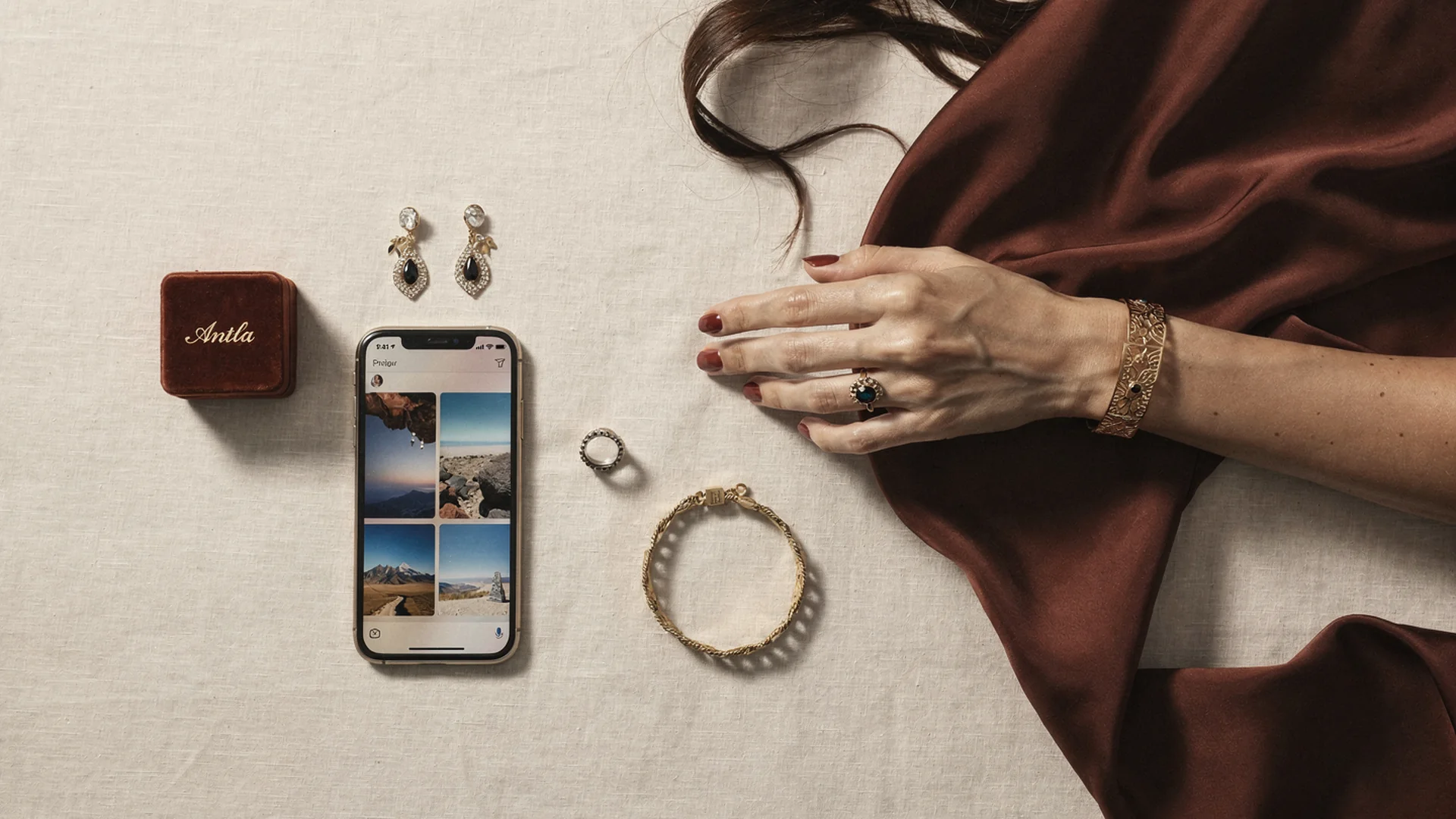
One funnel name, four category behaviors: photo guidance, scale cues, and disclaimers shift by earrings, rings, bracelets, and necklaces.
Accessories Funnel Vs Fashion Try-On
Antla serves apparel merchants with body-aware garment try-on. Jewelry merchants need different alignment logic:
| Dimension | Fashion try-on | Accessories funnel (jewelry) |
|---|---|---|
| Primary upload | Full body or upper body | Face, hand, neck, or wrist by category |
| Scale anxiety | Fit and drape | Hoop diameter, pendant drop, stone presence |
| Variant focus | Size and color | Metal, length, carat presentation |
| Post-preview validation | Size chart | Size chart plus ring sizer, chain inches |
| Return language | Too tight, wrong color | Too small on ear, wrong scale, clash with skin tone |
Accessories funnel uses the same Shopify app install and theme placement patterns as fashion. Configuration and shopper guidance differ. Read AI virtual try-on in ecommerce for the underlying model story, then apply jewelry-specific copy on your PDPs.
Visual fit disclaimer: Preview shows how jewelry may look on the uploaded photo. It does not replace ring sizing tools, allergy disclosures, or exact weights and dimensions from your spec table.
How The Shopper Flow Works
Across categories, the flow stays consistent:
- Shopper taps try-on on a enabled PDP
- Uploads a photo matching category guidance
- AI aligns product render from your Shopify images onto the photo
- Shopper reviews, may regenerate, then returns to buy box
- Merchant logs engagement in Try-on feed for merchandising
Speed depends on Antla Fos vs Pro model selection. Pro helps when fine metal edges, pavé, and stone facets drive purchase confidence on higher AOV pieces. Fos suits fast iteration on fashion-adjacent demi-fine lines with high SKU count.
Explore Antla Pro AI when your catalog skews toward engagement rings and fine chains above typical demi-fine AOV.
Earrings And Hoops
Earring preview answers: Will this stud disappear on my ear? Will this hoop overwhelm my face? Does this metal warm or cool against my skin?
Best practices:
- Source images with clear earring silhouette on neutral background
- PDP copy asks for face-forward photos with ears visible
- Link virtual try-on earrings Shopify and hoop and stud earring preview
- Pair preview with inner diameter and weight in millimeters and grams
Shoppers comparing multiple hoops benefit from Try-on feed data later. Merchants who see high preview volume on one diameter often adjust merchandising toward mid-size heroes.
Antla merchants frequently report two to three times longer PDP engagement during earring preview sessions, a leading indicator that scale uncertainty was the blocker before try-on.
Rings
Ring preview is the highest-intent category and the easiest to mis-sell. Shoppers conflate look with size.
Accessories funnel shows how a setting sits on their hand, how stone height reads in proportion, and how metal color interacts with skin. It does not confirm US or EU ring size.
Always keep visible:
- Printable ring sizer or mail-a-sizer offer
- Size chart with internal diameter
- Clear copy: preview is visual, not measurement
Read virtual try-on rings Shopify and ring preview vs ring size before you launch ring heroes.
Conversion lifts on ring preview cohorts often track with roughly 35% higher conversion among try-on users when size charts stay adjacent, not buried. Returns fall when “looked different” was the driver, not when wrong size was the driver.
Necklaces And Pendants
Necklace shopping fails when length is abstract. A 20-inch chain lands differently on every torso.
Preview helps shoppers judge:
- Where a pendant rests relative to neckline
- Whether a choker feels too tight visually
- How layering might read with their wardrobe necklines
Guide uploads with chest-visible photos. Link virtual try-on necklaces Shopify and necklace length and layering guide.
Keep chain length selectors beside preview. If a shopper previews an 18-inch hero image but buys a 24-inch variant, expectation breaks even when AI worked correctly.
Bracelets And Cuffs
Bracelet preview targets wrist scale and stack density. Cuffs and bangles need side profile; delicate chains need wrist context for charm scale.
Connect to virtual try-on bracelets Shopify and stackable jewelry virtual try-on when you sell multiples meant to wear together.
Merchandising teams use stack preview demand to bundle SKUs in email and PDP recommendations.
Merchant Controls In Antla Admin
Operators configure per SKU or collection:
- Enable or disable try-on
- Choose source product image for AI alignment
- Select Fos or Pro generation
- Set daily generation caps
- Toggle terms acceptance before upload
- Monitor Try-on feed for demand signals
Setup walkthrough: setup Antla jewelry try-on on Shopify.
No custom code is required for standard Shopify Online Store 2.0 themes with app blocks. Shopify apps ecosystem documentation helps when you run vintage themes that need manual embed review.
Privacy, Consent, And Trust
Jewelry try-on uses shopper photos for generation. Merchants should:
- Enable terms toggle when legal counsel recommends explicit consent
- Avoid storing or repurposing photos outside Antla’s product flow without permission
- Train support not to ask shoppers to email photos when try-on already handles preview
Trust copy on the PDP beats footnotes in terms of service alone.
Analytics You Should Watch
| Signal | Action |
|---|---|
| High preview, low ATC | Fix price, shipping, or metal copy |
| High preview, high returns | Check source image scale honesty |
| Low preview start rate | Move CTA above fold on mobile |
| One SKU dominates feed | Feature in email, consider inventory depth |
| Pro latency complaints | Test Fos on lower AOV SKUs |
Deeper analytics guide: jewelry try-on data and merchandising.
When Accessories Funnel Is The Wrong First Tool
Skip or delay if:
- Hero SKUs lack consistent product photography angles
- Ring size data is wrong across the catalog
- You sell only digital gift cards or services
- Returns are purely shipping damage, not style expectation
Fix catalog truth first. Preview amplifies honest PDPs; it does not fix dishonest macro photography.
Comparison To Other Jewelry Visualization Tools
Some merchants evaluate AR mirror apps or static composite widgets. Accessories funnel differs by using shopper photos and your Shopify product images without a separate 3D pipeline for every SKU.
Compare approaches in jewelry AR vs AI virtual try-on and jewelry photography vs AI try-on.
Implementation Checklist
- Read hub and category spokes
- Install Antla and enable one hero SKU per category
- Place mobile-first try-on CTA with disclaimer
- Publish support macros for photo tips
- Measure preview cohort vs baseline for four weeks
- Expand to full hero line and marketing campaigns
Campaign ideas: jewelry try-on Instagram and email campaigns.
Fashion operators crossing into jewelry should still read best virtual try-on for Shopify fashion for shared Shopify habits.
Frequently Asked Questions
What is Antla Accessories funnel?
It is Antla’s jewelry-oriented virtual try-on path on Shopify. Shoppers upload category-appropriate photos and preview earrings, rings, necklaces, or bracelets from your product images on themselves.
Does Accessories funnel work for all jewelry types?
It is optimized for earrings, rings, necklaces, and bracelets with clear product photography. Very complex multi-layer pieces may need extra PDP spec copy beside preview.
Can I use Accessories funnel alongside fashion try-on?
Merchants selling apparel and jewelry enable the relevant funnel per SKU. Configure jewelry heroes separately with category-specific upload guidance.
Does preview replace ring sizing?
No. Ring preview shows visual proportion on a hand photo. Shoppers still need size charts, sizers, and your sizing policy.
Continue In Cluster 10
- Setup Antla jewelry try-on on Shopify
- Jewelry PDP conversion with virtual try-on
- Virtual try-on jewelry Shopify hub
About the author: Aaron is the founder of Antla. After years of frustrating returns and jewelry that never looked right on product pages, he built Antla Accessories so shoppers can preview earrings, rings, and bracelets on themselves before checkout on Shopify.
Enable Accessories on hero jewelry SKUs. Install Antla, read setup guide, and explore the jewelry virtual try-on hub.