

Necklace Length and Layering With Virtual Try-On (Guide)
Necklace length guide for online shopping: choker, princess, matinee, layering stacks, and virtual try-on with Antla Accessories funnel on Shopify stores.

Necklace length vocabulary confuses shoppers. Choker, princess, matinee, and opera mean something in merchandising decks and something else in customer mirrors. A two-inch difference changes whether a pendant sits above or below the collarbone. Layering multiplies the error surface: two correct lengths can still clash visually.
Virtual try-on on Shopify gives merchants a teaching tool and a conversion tool at once. Antla Accessories funnel lets shoppers upload a photo and preview named lengths and stack combinations on their neckline before checkout. Preview shows look and placement. Inch specs and clasp types still belong in your product table.
This guide maps common length categories, layering rules of thumb, and rollout patterns for Shopify jewelry stores.
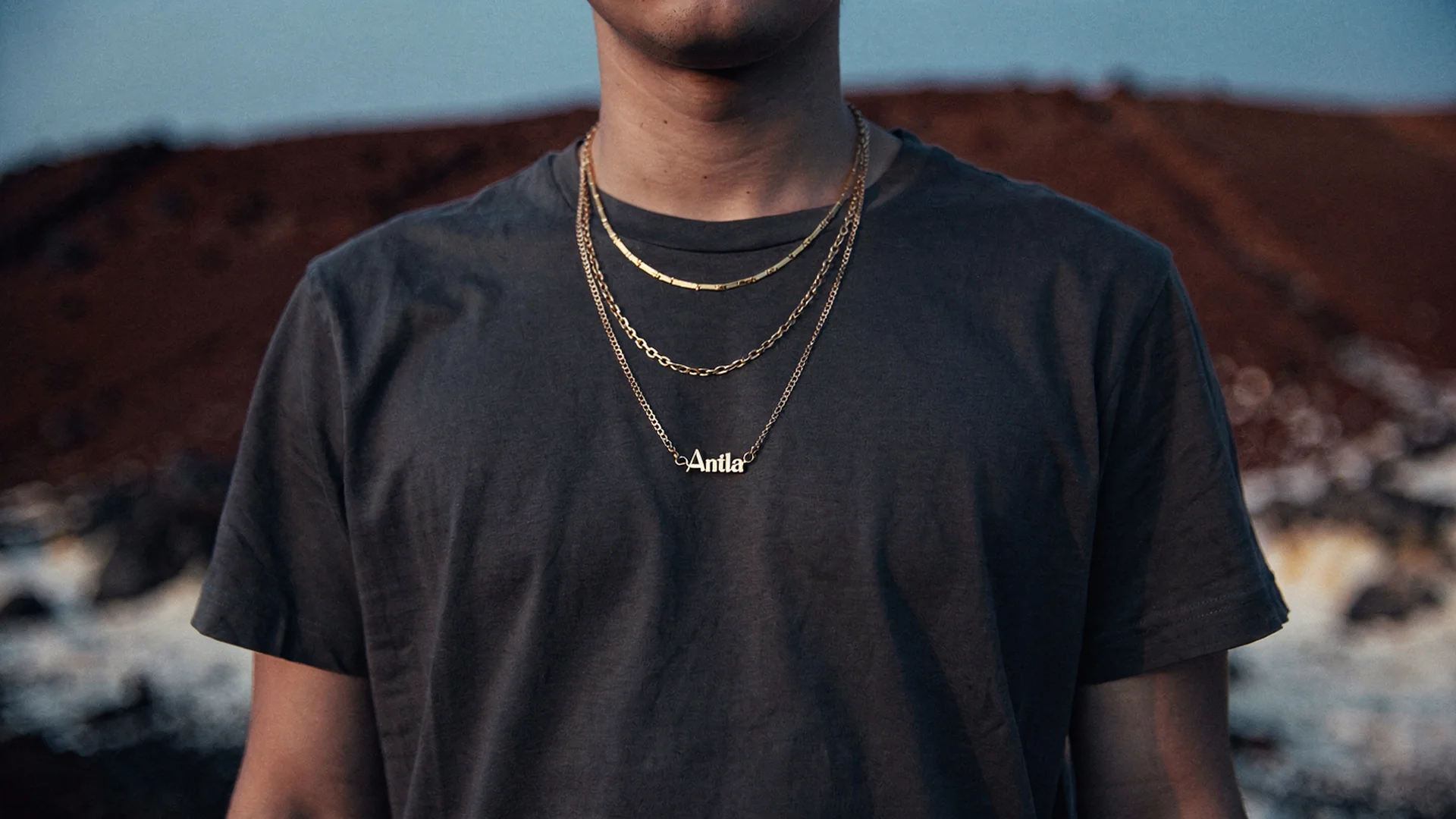
Length names make sense when shoppers see choker, princess, and layered placements on their own neckline, not only on a size chart.
Named Lengths: What Shoppers Think They Mean
Choker (14-16 inches): Sits at or above collarbone. Shoppers fear tightness or lost pendant visibility.
Princess (17-19 inches): Classic pendant drop near collarbone notch. Most default ecommerce length.
Matinee (20-24 inches): Drops toward bust line. Sweater and blazer interaction matters.
Opera (28-36 inches): Long line for drama or doubled layers. Hard to imagine from flat lay.
Charts list inches. Try-on shows where those inches land on this neck with this neckline. Hub context: virtual try-on for necklaces on Shopify.
Disclaimer: Virtual try-on shows look, scale, and placement. Verify exact length variants in specs before ordering.
Why Layering Breaks Without Preview
Layering sells average order value. It also drives bracketing returns when shoppers order three chains intending to keep one combination.
Layer failure modes:
- Two pendants collide at same drop point
- Short layer hides under long layer invisibly
- Mixed metal stacks look noisy on skin
- Delicate chain disappears beside bold pendant
Preview reduces trial-and-error cart stuffing. Merchants report 2-3x longer PDP engagement when shoppers evaluate stacks, and about 35% conversion lift among try-on users on hero SKUs.
Using Try-On To Teach Length
Strong PDPs combine:
- Named length education block
- Inch/cm conversion table
- Try-on entry with invite copy
- Styling photo for outfit context
Example copy: “Select 18 inch, then preview where the pendant lands on your photo.”
Baymard accessories research supports education plus rich media on considered purchases.
Layering Playbooks For Merchants
Two-layer classic: Choker plus princess. Preview confirms separation.
Three-layer trend: Add matinee rope. Try-on shows pendant collision risk.
Same-metal stacks: Tone consistency on shopper skin.
Mixed metal stacks: Preview helps bold shoppers commit.
Cross-sell wrist stacks via stackable jewelry virtual try-on.
Variant Mapping For Length SKUs
Each length variant needs correct render mapping in Antla Accessories funnel. Shoppers who preview 16 inch but cart 20 inch destroy trust.
QA checklist:
- Toggle every length variant, confirm render update
- Mobile upload on portrait photos with common necklines
- Add-to-cart preserves selected length after try-on
Setup: setup Antla jewelry try-on on Shopify.
Returns And Bracketing
Length-related returns often cite unexpected drop point, not clasp defect. Try-on targets expectation gaps before checkout, aligning with virtual try-on reduces returns before checkout. Jewelry-specific modeling: jewelry returns and virtual try-on.
Antla merchants have seen return reductions up to 30% when visualization closed the dominant look gap.
Merchandising Collections By Length
Build collection pages:
- “Chokers to preview”
- “Layering sets with try-on”
- Gift guides with length explainer plus preview CTA
Email segments by prior browse length variant. Shopify fashion ecommerce trends favor guided discovery on PDP.
Photography Vs Preview For Length
Flat lays lie about drape. On-model shots use ideal posture. Try-on uses shopper posture. Jewelry photography vs AI try-on explains cooperation, not replacement.
Vendor evaluation: best virtual try-on for Shopify fashion and AI virtual try-on in ecommerce.
Outfit And Neckline Context
Teach shoppers to preview with similar necklines when possible. Crew necks hide chains differently than deep V-necks. Merchants can suggest “upload a photo wearing a similar neckline to your planned outfit.”
This reduces support tickets about sweater clearance.
Common Length And Layer Mistakes
Using only industry names without inches. Always pair.
Selling layer sets without preview on each SKU. Bundle pages should link try-on per piece.
One render for adjustable lariats. Variable drop needs variant logic.
Ignoring men’s chain length vocabulary. Use preview plus mm thickness.
Body Type And Posture In Length Preview
Shoppers photograph themselves at different angles. Merchants should set expectations that slight posture differences shift pendant drop by millimeters. Honest copy prevents perceived “inaccuracy” reviews when the render matched the uploaded angle faithfully.
Suggest neutral posture and front-facing portraits in try-on instructions. Support can link length education plus try-on when tickets mention “hangs too low” on variant SKUs that were not previewed.
Layer Merchandising Analytics
Track which length variants see the highest try-on starts versus conversion. A 20 inch variant with heavy preview but weak conversion may need better inch labeling, not a new campaign. Export try-on analytics through jewelry try-on data for merchandising once cohorts stabilize.
Styling Content For Length Education
Short video loops showing named lengths on one model still help discovery. Pair those assets with try-on CTA so shoppers transition from education to personal preview on the same PDP session. Merchants see stronger completion rates when education blocks sit directly above the upload button rather than in distant blog posts.
Hub And Cluster Links
- Virtual try-on for jewelry hub
- Virtual try-on for necklaces
- Virtual try-on for earrings
- Jewelry try-on rollout plan
Frequently Asked Questions
What is princess length for necklaces?
Princess length is typically 17 to 19 inches, with the pendant resting near the collarbone. Exact inches vary by merchant. Preview on your photo shows placement for the SKU you select.
Can virtual try-on show necklace layers together?
Shoppers preview individual SKUs on their photo. Merchandise layer sets with links to preview each length, or use stack guides plus sequential try-on sessions.
Does try-on replace necklace length charts?
No. Named lengths and inch specs remain essential. Try-on translates those numbers into placement on your neckline.
Which lengths confuse shoppers most online?
Choker vs princess boundaries and matinee drop over clothing cause the most hesitation. Preview plus inch tables reduces those returns.
How do I roll out length preview on Shopify?
Enable Antla Accessories funnel on length-variant hero SKUs, map each variant render, place try-on near gallery on mobile, and measure cohorts for four weeks before expanding.
Where To Go Next
- Virtual try-on for necklaces on Shopify
- Jewelry virtual try-on hub
- Stackable jewelry virtual try-on
- Shopify PDP conversion optimization
- Antla on Shopify
About the author: Aaron is the founder of Antla. After years of frustrating returns and jewelry that never looked right on product pages, he built Antla Accessories so shoppers can preview earrings, rings, and bracelets on themselves before checkout on Shopify.
Help shoppers pick length online. Install Antla on Shopify and start from virtual try-on for necklaces.